Blog
Business Phone System
Understanding Inbound Calls and How to Handle Them

Understanding Inbound Calls and How to Handle Them
Learn what inbound calls are, why they matter, and how to handle them efficiently.



In this article
- What is an Inbound Call? Understanding Inbound Call Meaning
- Main Types of Inbound Calls
- How to Effectively Manage Inbound Calls?
- Benefits of Effective Inbound Call Handling
- Inbound Call Handling Challenges for Businesses
- What Technologies Are Used to Manage Inbound Calls?
- Conclusion: Handle Inbound Calls with DialLink
Inbound calls have always been the lifeblood of business, connecting you directly with customers, prospects, and partners. But they've also been a source of chaos: missed opportunities, frustrated callers, and overwhelmed staff trying to keep up. The difference between businesses that thrive and those that struggle often comes down to how they handle incoming calls.
In this article, we'll cover what inbound calls are, why they matter, and how to manage them effectively, turning potential chaos into organized interactions.
What is an Inbound Call? Understanding Inbound Call Meaning
In general, inbound calls, or incoming calls, are any phone calls received by a person or organization. For example, when someone calls your cell phone, that’s considered an inbound call.
In a business context, inbound calls are phone calls made by customers or prospects to your company. In other words, an inbound call happens when a customer reaches out to you, rather than your team contacting them.
Inbound vs Outbound Calls: Key Difference
Inbound and outbound calls both happen over the phone, but they differ in who starts the conversation. Inbound calls are initiated by customers reaching out to a business, while outbound calls are made by the business to contact customers or prospects.
The purpose of each also varies. Inbound calls, often handled by customer support or service teams, focus on assisting customers, answering questions, resolving issues, or providing information about products or services.
Outbound calls, on the other hand, are typically made by sales or marketing teams to reach potential or existing customers. They’re used for promotions, lead generation, surveys, or follow-ups, aiming to spark interest, drive sales, or encourage further engagement with the company.
The technology used to manage inbound and outbound calls also differs. Inbound call solutions often include features like IVR menus, inbound call routing, and call queues to organize incoming calls and ensure each caller reaches the right person quickly. Outbound call tools, on the other hand, often use auto-dialers and click-to-call capabilities to speed up outreach, save agents time, and increase connection rates.
Main Types of Inbound Calls
Inbound calls can take many forms depending on the customer’s needs and the purpose of the call. Here are some of the most common types:
- Customer service inquiries: These are calls from customers seeking assistance with a product or service they’ve purchased, such as resolving an issue or requesting additional information.
- Account and billing questions: These calls typically involve payment dates, account balances, or billing discrepancies that customers want to clarify.
- Technical support calls: Handled by support specialists, these calls focus on troubleshooting technical problems or guiding customers through product setup.
- Sales inquiries: Potential customers initiate these calls to learn more about a product, confirm pricing, or ask about specific features before making a purchase.
- Appointment scheduling: Clients may call to book, confirm, or reschedule appointments with the business.

How to Effectively Manage Inbound Calls?
Managing inbound calls effectively requires a mix of the right technology, well-defined processes, and skilled agents.
Your technology stack should include inbound call tracking and call routing software that allows you to receive all incoming calls to your business phone number, organize them efficiently, and route them to the right person or department.
Equally important are your agents. They should have a deep understanding of your company, products, and services so they can confidently answer any type of question, from technical issues to general inquiries. Providing agents with quick access to customer data, call histories, and internal knowledge bases ensures they have all the information they need at their fingertips. This not only helps resolve calls faster but also improves first-call resolution rates and overall customer satisfaction.
Finally, effective inbound call management also depends on strong soft skills such as active listening, empathy, clear communication, patience, flexibility, and problem-solving. These qualities enable agents to handle a wide range of situations while maintaining a professional and supportive tone.
Benefits of Effective Inbound Call Handling
If your business consistently handles incoming calls efficiently and provides the right service at the right time, you’ll start seeing meaningful results.
- Happier customers: When calls are answered quickly and handled professionally, customers feel valued and supported. This leads to a better overall experience and stronger trust in your business.
- More sales opportunities: A positive conversation can easily turn an inquiry into a sale. When customers get helpful answers right away, they’re more likely to make a purchase or buy additional products and services.
- Better customer loyalty: Good call handling encourages customers to keep coming back. When issues are resolved smoothly, they’re less likely to switch to a competitor.
- Higher conversion rates: Every inbound call is a chance to move a lead closer to becoming a paying customer. The more efficiently your team manages these calls, the more opportunities you have to grow your business.
Inbound Call Handling Challenges for Businesses
Even with the right tools and trained staff, managing inbound calls can still be challenging. Here are some of the most common issues businesses face:
Too Many Calls at Once
Even for startups and small businesses, there are times when the number of incoming calls exceeds what your team can manage. If those calls aren’t properly organized or routed, wait times can quickly increase, and customers may hang up before getting help. This leads to missed opportunities and lower satisfaction.
Rising Customer Expectations
Today’s customers expect their calls to be answered quickly. Even a short delay can feel like poor service, especially when they’re used to instant replies from online chat or social media. If calls aren’t answered promptly, customers may hang up or turn to a competitor who responds faster.
Conversations That Feel Impersonal
Customers assume that your agents have access to their previous interactions, purchase history, or account details. When agents don’t have this information at their fingertips, callers end up repeating themselves, which makes the experience feel disconnected and impersonal.
Calls Going to the Wrong Person
When calls are routed incorrectly, customers may be transferred multiple times before reaching someone who can help. This not only wastes valuable time but also gives the impression that your business is disorganized.
Spending Too Much on Call Handling
Hiring a receptionist to route calls or maintaining a large support team just to handle routine inquiries can be costly. Without automation or efficient call-handling tools, these expenses can quickly add up.
Technology That Doesn’t Keep Up
Outdated or limited phone systems can cause technical issues such as dropped calls, poor audio quality, or difficulty accessing customer data. They may also lack key features like smart routing or call analytics, or fail to scale as your business grows.
What Technologies Are Used to Manage Inbound Calls?
Now that we’ve covered what inbound calls are and why they’re essential for every business, let’s explore the technologies that help manage them effectively.
The right inbound call management solution often depends on your business size and call volume. For example, startups and small businesses can easily manage a moderate number of calls using a business phone system, while larger organizations with higher call volumes may benefit from a full-featured call center platform.
The main goal is to choose software with the right features to organize, route, and track incoming calls efficiently, ensuring every customer gets timely and professional support.
Inbound Call Management Features
To see how inbound call software helps you handle every call effortlessly, let’s walk through an example of how a business phone system like DialLink manages an incoming call from start to finish.
A customer calls your business number (local or toll-free) to resolve a subscription issue. Instead of hearing busy signals or going to basic voicemail, they immediately hear a professional greeting from the auto-receptionist: "Thank you for calling TechServe Solutions. Your call is important to us."
The auto-receptionist does more than just greet callers. It intelligently routes them based on when they call. During business hours, callers can be directed straight to a specific user, to a phone menu, or to a group of available agents. For after-hours calls, the system automatically routes the caller to voicemail or an on-call team.
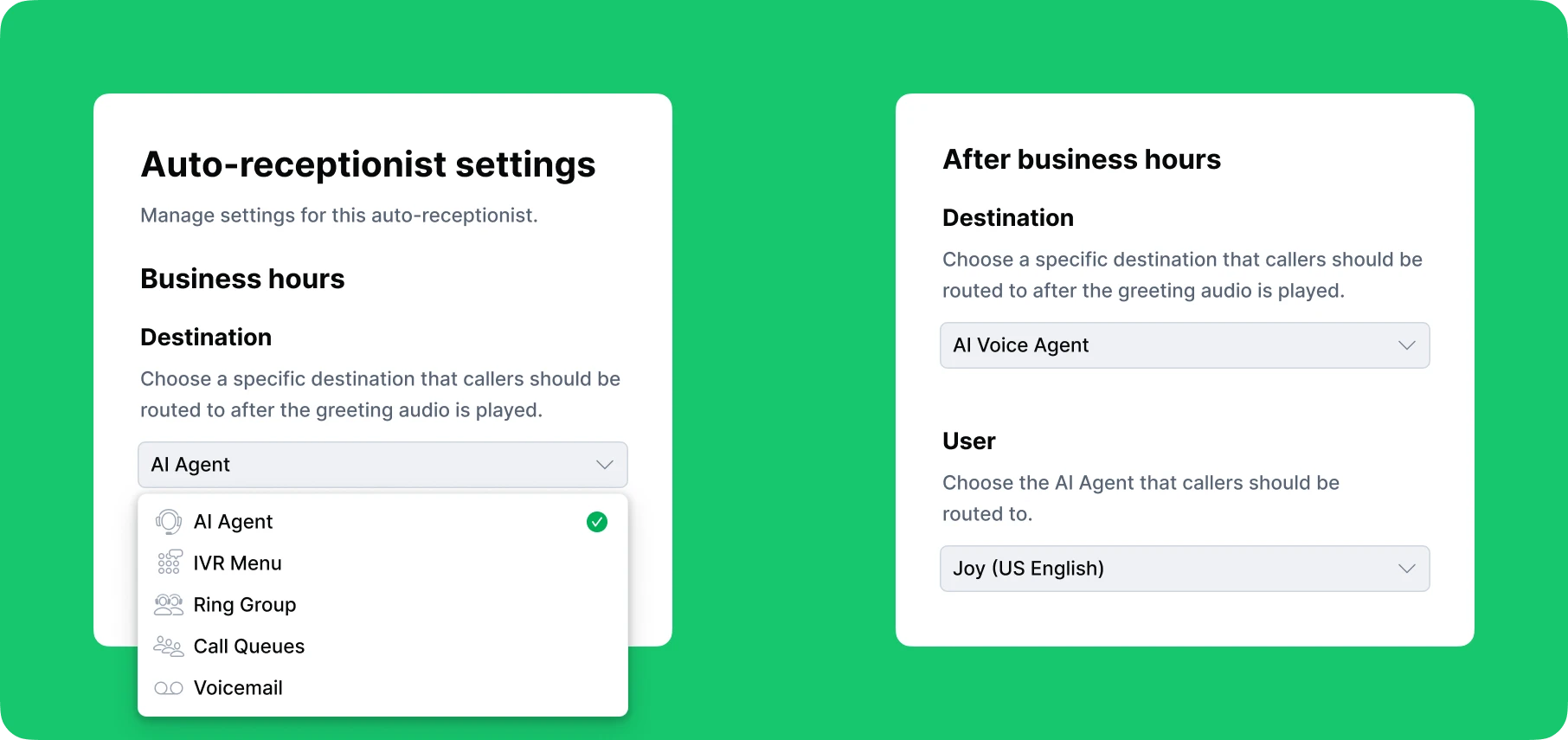
In this case, it's 2 PM on a business day, so the caller moves to the next step.
The system presents an automated phone menu, or IVR (Interactive Voice Response): "Press 1 for Sales, Press 2 for Technical Support, Press 3 for Billing and Accounts."
The caller presses 3 for billing. Based on this selection, the system applies routing rules and directs the call toward the billing department. No manual intervention needed. The call finds its own path.
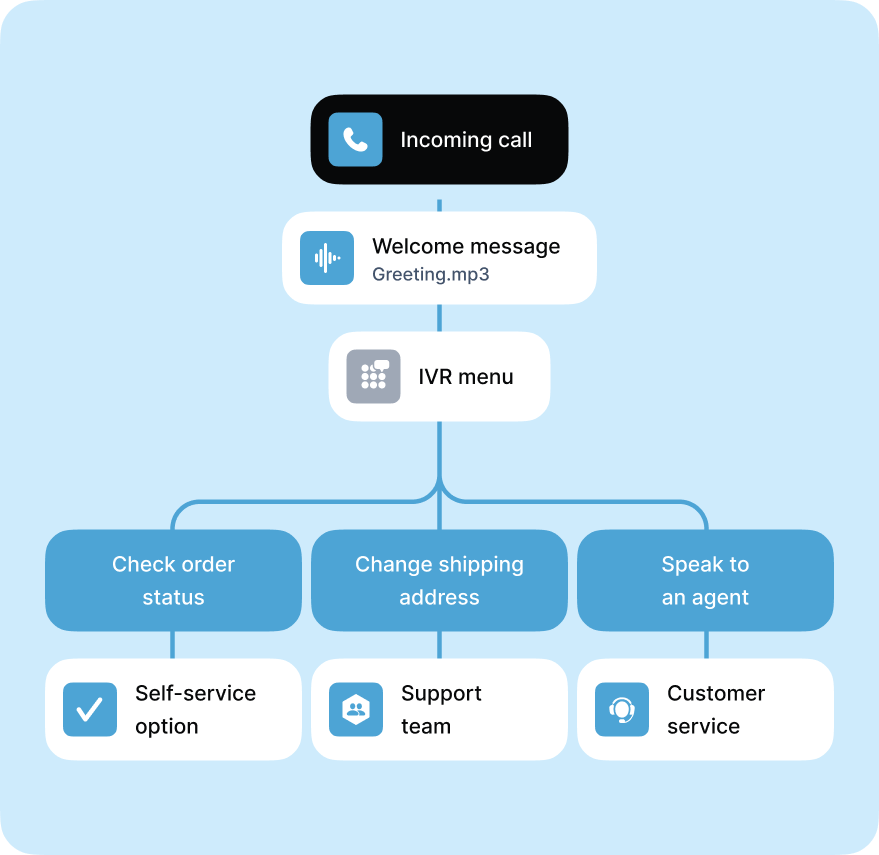
All billing agents are currently on other calls, so the system places the caller in a virtual waiting line called a call queue. Instead of dead silence or random hold music, the caller hears: "Your estimated wait time is 3 minutes. To receive a callback when an agent is available, press 9."
This feature alone significantly reduces customer frustration. Many callers choose the callback option and go about their day rather than waiting on hold.
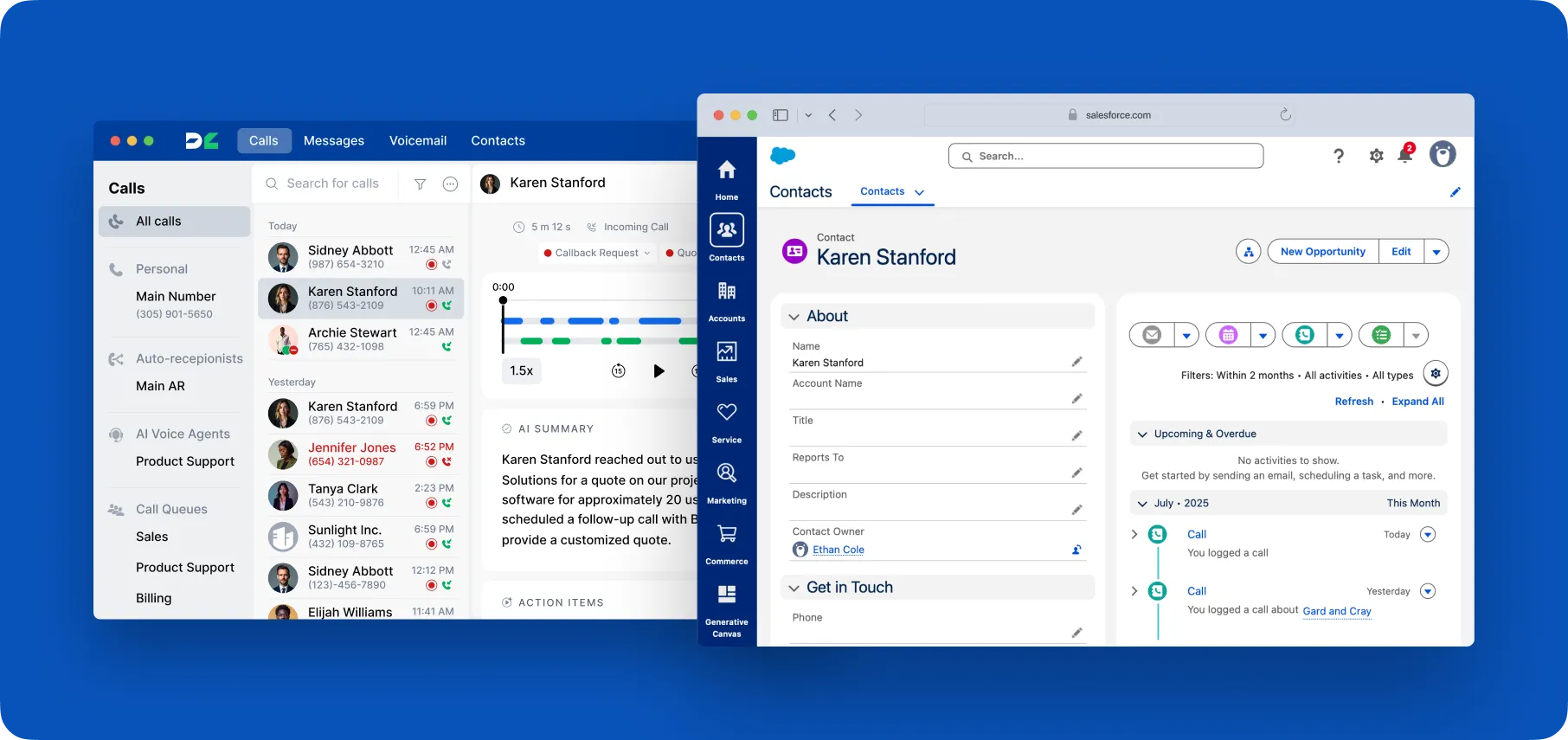
Soon, the call connects to the right team member. Thanks to CRM integration, the agent can see the caller's full history and details, allowing them to provide a faster, more personalized experience without asking repetitive questions.
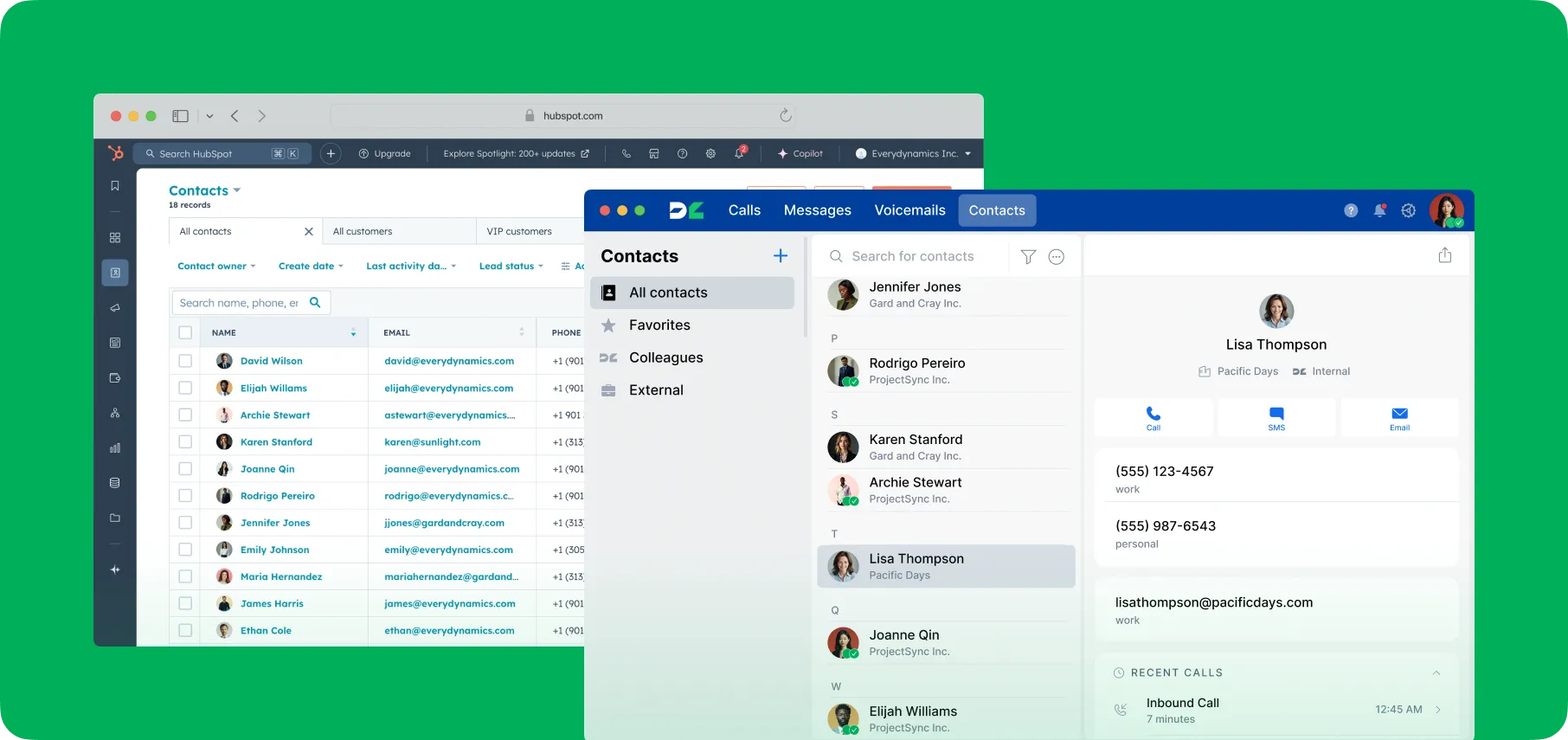
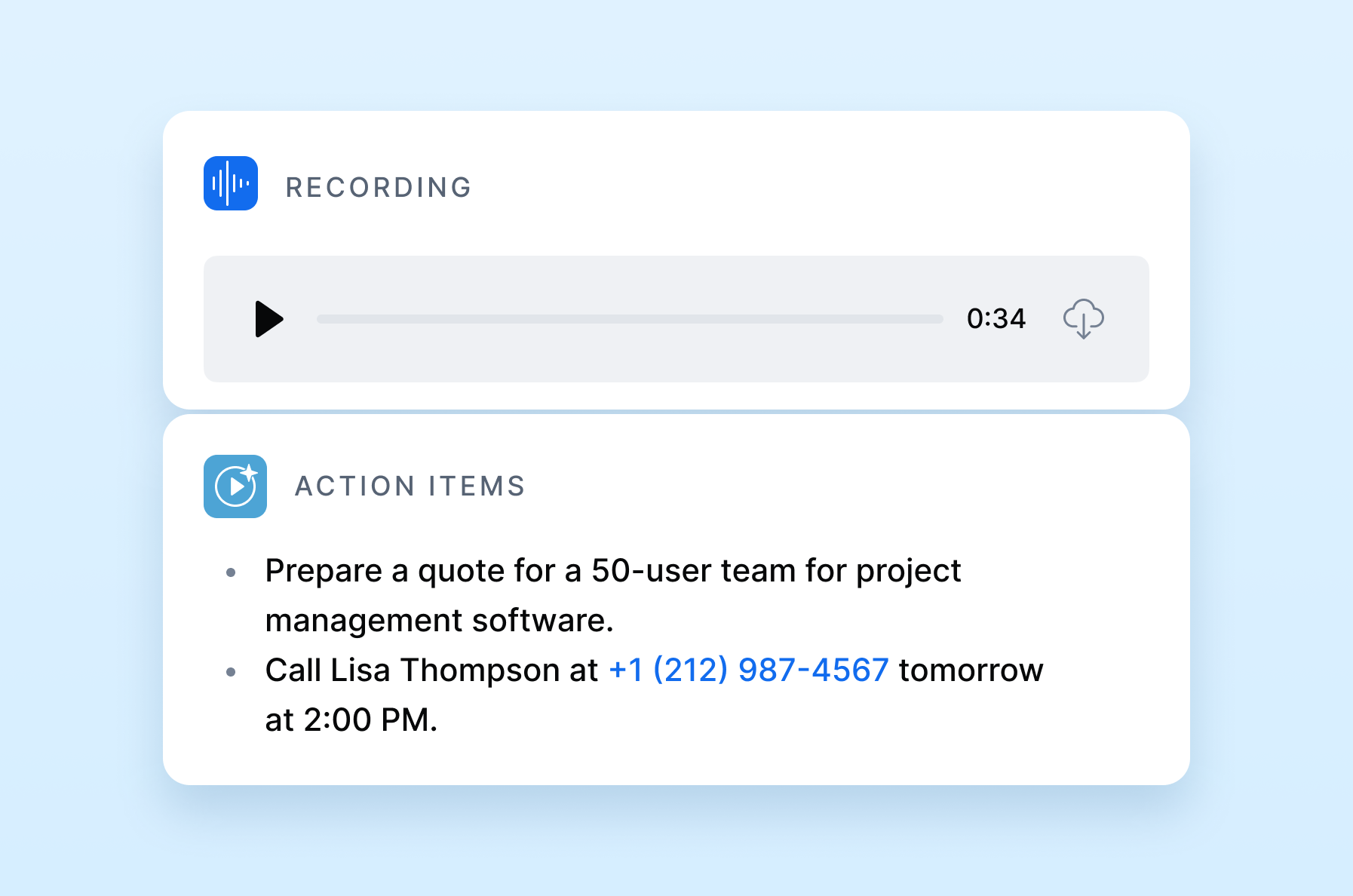
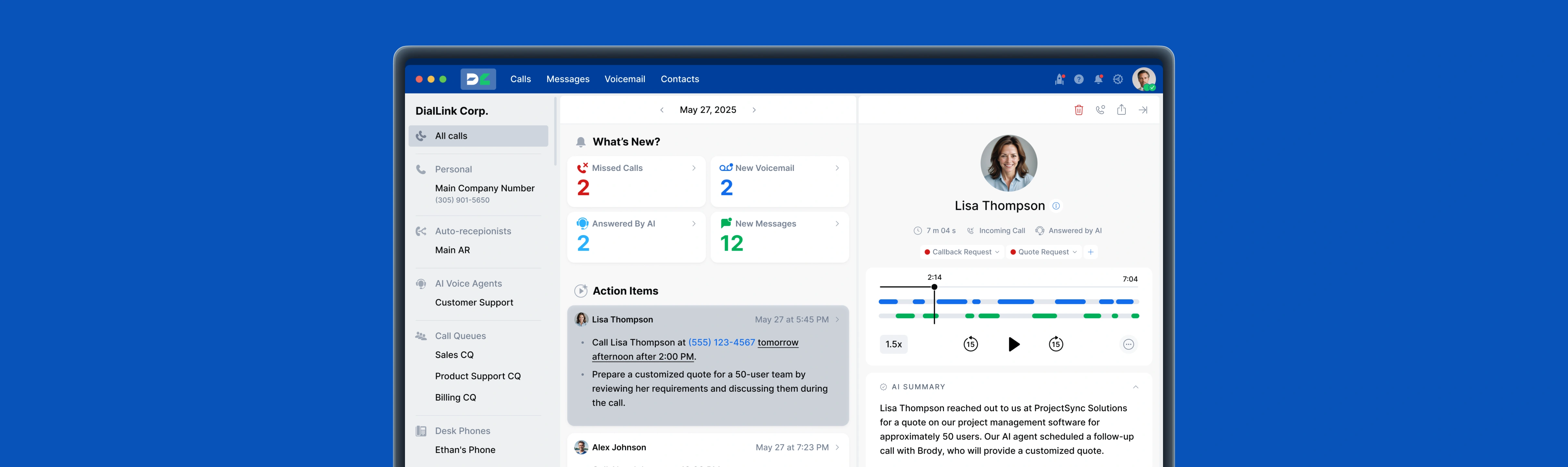
As part of company policy, every call is recorded and transcribed automatically. A built-in AI feature generates a summary and action items, which are stored in the same call record for easy follow-up and quality assurance.
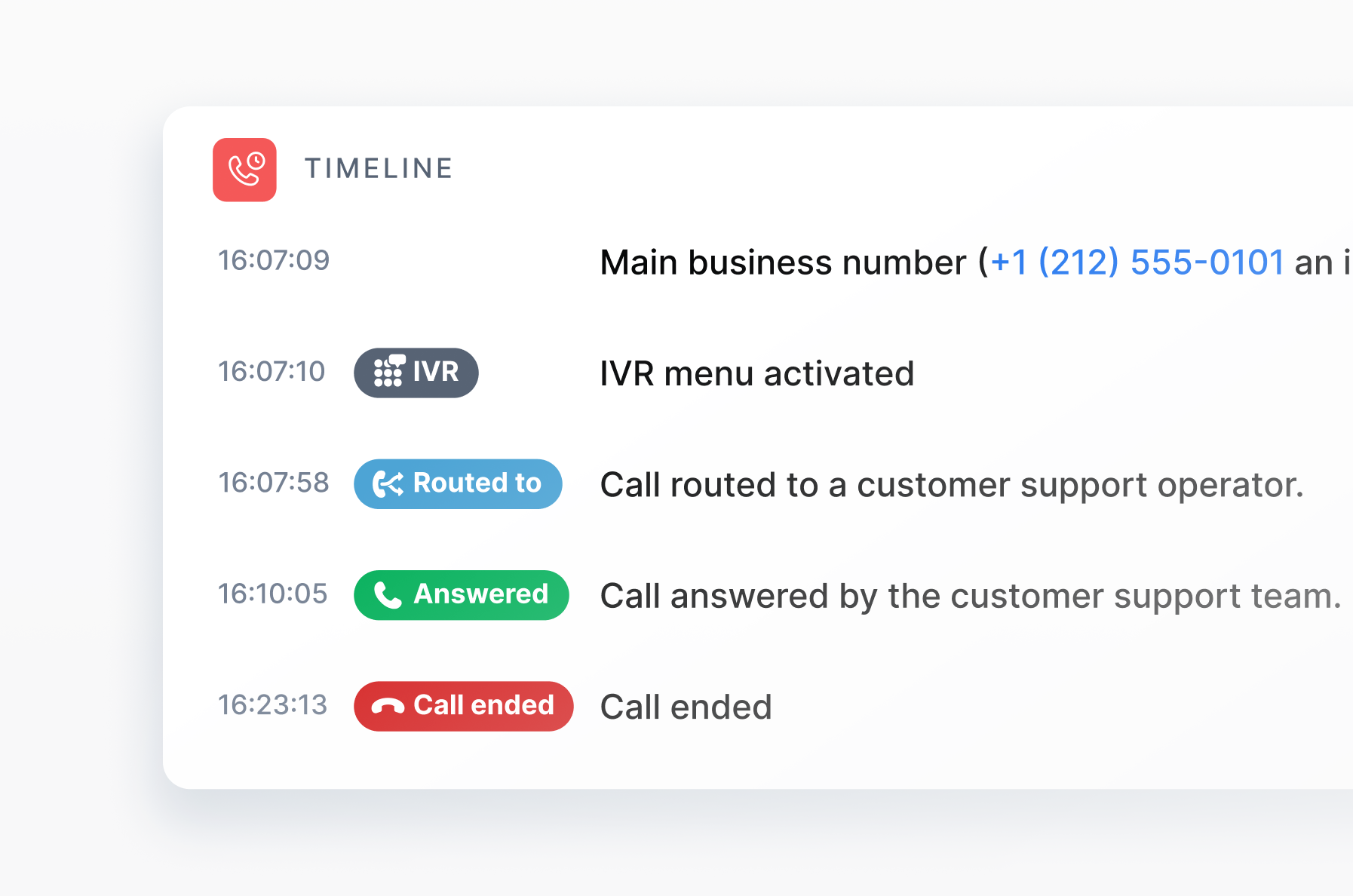
Behind the scenes, the software tracks the entire interaction, from the first ring to final resolution, building a complete call timeline. This data helps managers review performance, analyze trends, and continuously improve how inbound calls are handled.
From the customer's perspective, they called with a problem, and it got solved efficiently. From the business perspective, the call was routed properly, handled by the right person with the right information, and documented automatically. All of this happens without anyone manually organizing calls, transferring customers multiple times, or scrambling to find account information.
How Does AI Help Automate Inbound Calls?
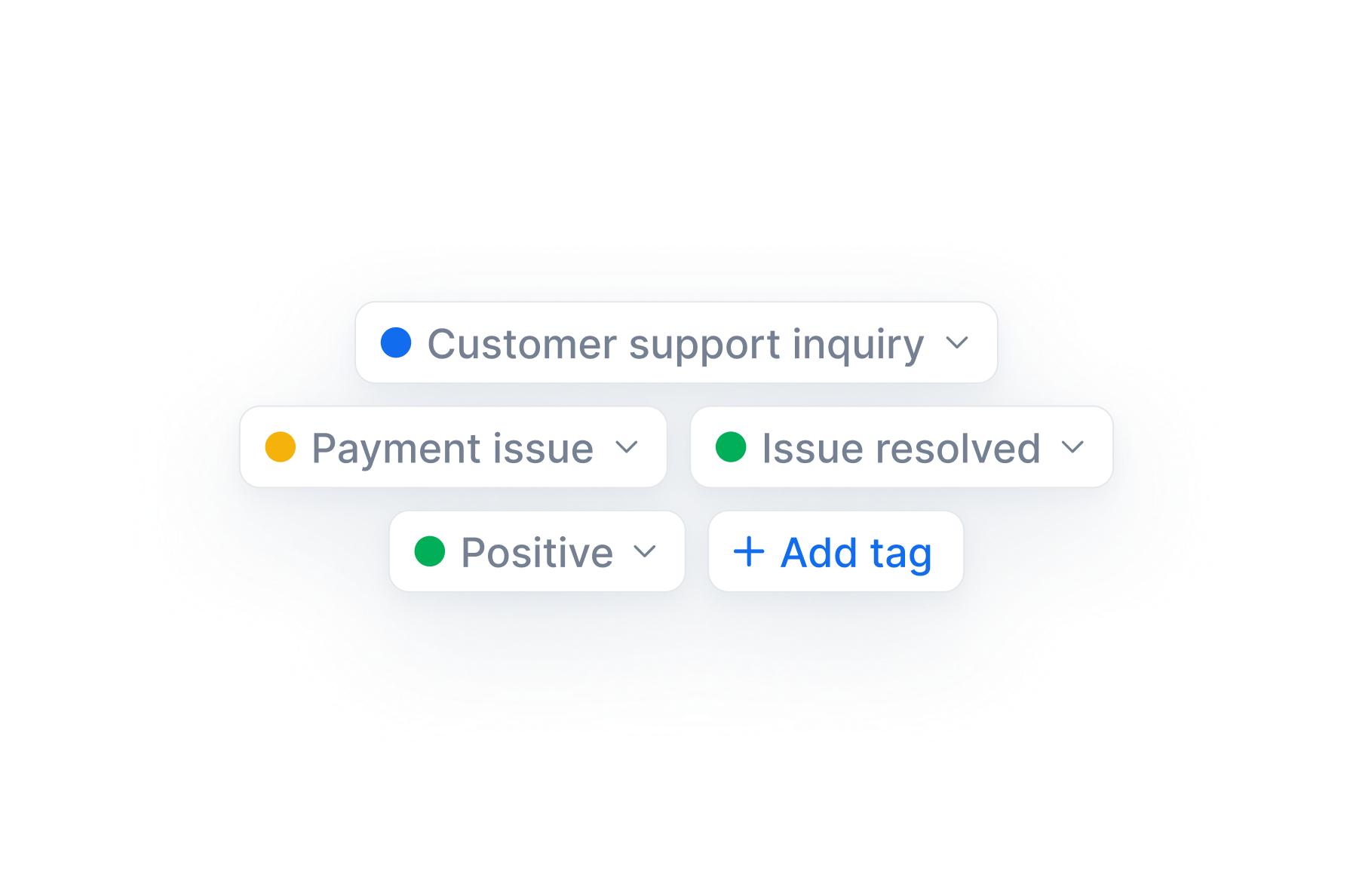
In the example above, you saw that AI can help record, transcribe, summarize, and extract action items from inbound calls. It can also perform sentiment analysis to gauge customer satisfaction levels and classify calls by topic or intent through AI-powered call tagging.
While these capabilities automate routine manual tasks, AI can play an even more independent role in call management.
AI Voice Agents: 24/7 Inbound Call Handling
AI voice agents answer incoming calls around the clock, handling tasks like greeting callers, answering questions, taking messages, scheduling appointments, and capturing and qualifying leads.
What makes them particularly powerful is their flexibility in training and integration. Businesses can train AI voice agents using their own knowledge base, including:
- Policy guides and internal documentation
- Product specifications and pricing information
- Frequently asked questions
- Website content or custom text blocks
Beyond knowledge training, AI voice agents can connect directly to your business tools, such as CRM systems, online stores, and calendars, allowing them to retrieve and update real-time data during conversations.
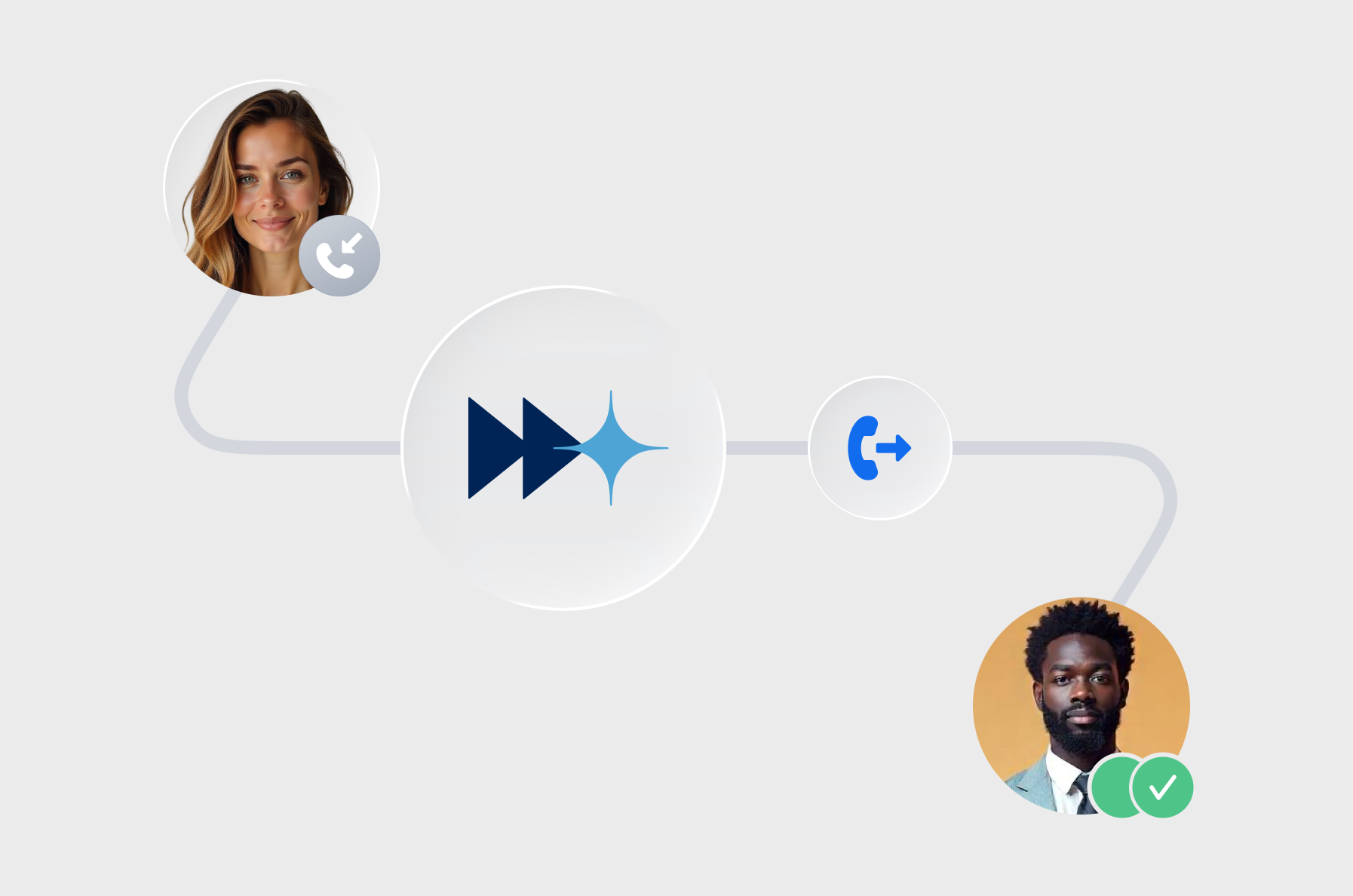
While AI voice agents can handle most routine inquiries, some situations still require human expertise. When this happens, the AI seamlessly transfers the call to an available agent and passes along the full context of the interaction. This ensures the agent receives a complete summary of the caller's needs and conversation history, eliminating the need for customers to repeat themselves.
Conclusion: Handle Inbound Calls with DialLink
As you can see, a company’s ability to handle inbound calls effectively has a direct impact on how customers perceive its professionalism, reliability, and overall service quality. Every missed or poorly managed call can mean a lost opportunity or a dissatisfied customer.
Fortunately, with a business phone system like DialLink, you don’t have to worry about your inbound calls turning into a mess. Every call is logged in one place with a complete history, answered promptly, and routed to the right person or department based on your business needs.
Inbound calls are any phone calls received by a person or organization. For businesses, inbound calls are calls that customers or prospects make, usually to ask questions, request support, or make a purchase.
Inbound calls are calls that come to a person or organization. For example, when someone reaches out to ask a question, request information, or get support.
Outbound calls, on the other hand, are calls made by a person or organization to contact someone else, such as returning a call, scheduling an appointment, or sharing information.
In short, inbound calls are received, while outbound calls are initiated.
Inbound call tracking helps you identify where your incoming calls come from, such as specific marketing campaigns, ads, or web pages. It works by assigning unique phone numbers or tracking attributes to each source, allowing you to see which channels generate the most calls and conversions.
Featured Tags
Share


Arina Khoziainova
Content Writer at DialLink
Arina is a content writer with over 7 years of experience in the IT industry. At DialLink, she creates clear, insightful content that helps small business and startup owners simplify communication and drive growth using modern tools. With a strong focus on practical value, Arina transforms complex topics into accessible, actionable stories.

Keep Reading

Google Voice Auto Attendant: What It Is and How It Works
Explore how Google Voice auto attendant works and whether it’s right for your small business.
December 22, 2025
9 minutes
What Is a VoIP Phone System?
Read about what a VoIP phone system is, how it outperforms traditional setups, and the main ways it’s used in everyday communication.
October 20, 2025
16 minutes

What Is a Virtual Phone System?
Learn what a virtual phone system is, how it works, and why it’s becoming the preferred communication solution for modern businesses.
October 17, 2025
10 minutes

What is Cloud Contact Center? Benefits, Features, and How It Works
A cloud-based call center offers small businesses a flexible and cost-effective alternative to traditional setups. Let’s explore what it is and how it operates.
September 18, 2025
14 minutes
What is Cloud Phone System? A Guide for Small Businesses and Startups
Read what a cloud phone system is, how it works, its key features, and the benefits it brings to small businesses.
September 11, 2025
15 minutes

Auto Attendant Call Flow Templates
Use these auto attendant templates to create your own business-hours, after-hours, and holiday call handling logic.
May 28, 2026
11 minutes
Types of Business Phone Systems: Cloud, VoIP, PBX & More
Discover different types of business phone systems, how they differ, and which options may be the best fit for your business.
January 07, 2026
12 minutes

Google Voice Business Phone System: Features, Pricing, and Limitations for Small Businesses
Learn how the Google Voice business phone system works, explore plans, features, and limitations for small businesses and startups.
January 05, 2026
10 minutes