Blog
Business Phone System
Google Voice Business Phone System: Features, Pricing, and Limitations for Small Businesses

Google Voice Business Phone System: Features, Pricing, and Limitations for Small Businesses
Learn how the Google Voice business phone system works, explore plans, features, and limitations for small businesses and startups.



In this article
- What is a Google Voice Business Phone System?
- How Does the Google Voice Phone System for Business Work?
- Google Voice Business Phone System: Key Features
- How Does Google Voice Integrate with Other Google Apps?
- Google Voice Business Phone System: Plans and Pricing
- Google Voice Business Phone System: Pros for Small Businesses
- Google Voice Business Phone System: Limitations for Small Businesses
- DialLink: Explore the Best Google Business Phone System Alternative
You’ve probably heard that Google offers a free phone service for personal use, which often raises the question of whether a similar option exists for businesses. Google does offer a business version, but it is a paid service designed for professional use, with additional features tailored to business communication needs.
In this post, we’ll cover how the Google Voice business phone system works, its key features, pricing, advantages, and limitations, so you can decide whether it’s the right fit for your business.
What is a Google Voice Business Phone System?
A Google business phone system, also referred to as the Google Voice business phone system or simply Google Voice for business, is a cloud-based phone service developed by Google for professional use.
Like other Google products, Google Voice operates entirely in the cloud. This means Google Voice can be accessed through a web browser or via dedicated apps on laptops, smartphones, and tablets.
Google Voice allows businesses to make and receive calls, send and receive text messages, and manage voicemails from a single interface. It provides a straightforward way for businesses to handle everyday communications.
How Does the Google Voice Phone System for Business Work?
The Google phone system for business is a VoIP (Voice over Internet Protocol) service, which means it uses the internet to make and receive phone calls instead of traditional phone lines.
From a technical standpoint, getting started requires only a device with a stable internet connection. Users log in to their Google Voice account through a web browser or mobile app, obtain a Google Voice phone number, and begin making calls, sending text messages, managing contacts, and checking voicemails.
Administrators manage the system through an intuitive web-based interface. They can purchase phone numbers from specific cities or area codes, add or remove users, and assign numbers as needed. Core call management features, such as auto attendants and ring groups, can also be configured from the Google Voice admin console to help route calls more efficiently across the team.
Google Voice Business Phone System: Key Features
Below is an overview of the main features of Google Voice for Business and how they support day-to-day business communications.
Local Business Phone Numbers
Each Business account includes one local phone number selected from a specific city or area code. Availability depends on the plan, with some plans limited to U.S. numbers and others supporting both U.S. and European locations.
The phone number can be used across all supported devices, like mobile phones, tablets, and laptops.
Unlimited Domestic Calling
Each business plan includes unlimited calling within your country, making it easier to manage ongoing customer and internal communications.
Unlimited SMS Texting
Send and receive unlimited SMS messages from the same business number.
Google Voice Voicemail Transcription
Google Voice automatically transcribes voicemail messages and can send voicemail notifications to email. Transcriptions and notifications can be shared with up to 10 users per phone number, depending on how the system is configured.
Google Voice Auto Attendant
Google Voice’s auto attendant acts as an automated receptionist for your business phone numbers. It greets callers with pre-recorded messages and guides them through phone menus.
You can easily create multi-level menus and customize greetings for your business needs. Google Voice allows users to create multiple auto-attendants and assign them to different Google Voice numbers.
Ring Groups
Ring groups allow multiple team members to share a single phone number. When someone calls the number, all assigned users receive the call and can answer it. You can configure how calls are distributed, including simultaneous ringing, a fixed order, or round-robin routing to balance call volume. Members also receive shared call history, voicemails, and notifications in the app and via email.
Call Forwarding
Forward incoming calls to another phone number to ensure calls are answered even when users are unavailable.
Call Recording
Google Voice supports call recording for training, documentation, or compliance purposes. Recording behavior varies by plan: entry-level plans require manual recording, while the higher plans allow automatic call recording for all calls.
Three-Way Calling
Add a third participant to an active call to bring additional teammates or stakeholders into the conversation.
Call Transfer
Transfer live calls to another number or team member without disconnecting the caller.
Spam Identification
Google Voice uses Google AI to automatically detect and filter suspected spam or scam calls.
Desk Phone and ATA Support
Google Voice can be used with supported Poly desk phones as well as analog telephone adapters (ATAs), allowing you to connect existing hardware where needed.
How Does Google Voice Integrate with Other Google Apps?
The Google Voice business phone system integrates directly with other tools in Google Workspace, allowing businesses to manage calling alongside their everyday productivity apps. Below is an overview of how these integrations work.
- Google Calendar integration: Connect your business hours and scheduled meetings in Google Calendar with Google Voice. When you’re in a meeting or unavailable, incoming calls can be automatically routed to voicemail.
- Gmail integration: Receive voicemail notifications and SMS messages directly in Gmail, making it easier to manage communications without switching between apps.
- Google Contacts integration: Google Voice syncs with Google Contacts to automatically populate and update contact information associated with your Google Voice activity.
- Google Meet integration: Meeting participants can invite you to join a Google Meet session by calling your Google Voice number. When you answer the call, you’re connected directly to the meeting.
Note: These integrations are available only to businesses with an active Google Workspace subscription and Google Voice added to their account.
Google Voice Business Phone System: Plans and Pricing
Google Voice offers three subscription tiers for its business phone system. Each plan is priced per user and includes a different set of features.
Below is a high-level overview of Google Voice pricing and what’s included in each tier.
| Feature | Starter | Standard | Premier |
|---|---|---|---|
| Price | $10/user/month | $20/user/month | $30/user/month |
| Number of users | Up to 10 | Unlimited | Unlimited |
| Availability | 14 countries | Unlimited regional billing | Unlimited international billing |
| Calling | Unlimited domestic | Unlimited domestic | Unlimited domestic |
| Texting | Unlimited US texting | Unlimited US texting | Unlimited US texting |
| Voicemail transcription | Yes | Yes | Yes |
| Call forwarding | Yes | Yes | Yes |
| Auto-attendant | No | Yes | Yes |
| Ring groups | No | Yes | Yes |
| Call recording | Easy | On-demand | Yes |
| Desk phone & ATA support | Yes | Yes | Yes |
Google Voice plans are generally purchased as an add-on to a Google Workspace subscription. The exception is the Starter plan, which can be used independently in limited scenarios.
Google Workspace pricing (separate from Google Voice) starts at:
- Business Starter: $7 per user/month
- Business Standard: $14 per user/month
- Business Plus: $22 per user/month
- Enterprise: Custom pricing
For the most up-to-date details and regional availability, Google recommends reviewing the official Google Workspace pricing page.
Google Voice Business Phone System: Pros for Small Businesses
Google Voice offers a simple, lightweight option for small businesses with basic communication needs. Below are its main advantages.
- Easy to get started. For teams already using Google Workspace, adding Google Voice is straightforward. Setup is quick, and there’s little configuration required compared to more advanced phone systems.
- Part of the Google Workspace ecosystem. Google Voice works seamlessly with Gmail, Calendar, and Google Meet, which is convenient for businesses already relying on Google’s productivity tools.
- Works across devices. The service runs on mobile phones, laptops, desktops, and tablets, allowing users to make and receive calls anywhere with an internet connection.
- Accessible for non-technical teams. The interface is simple and familiar, similar to consumer apps like WhatsApp or Skype, making it easy for new users to adopt the system without training.
- Suitable for basic communication needs. Google Voice covers essential calling and texting. It supports basic call routing but is limited in scope and may not be sufficient as a primary phone system, even for some small businesses.
Google Voice Business Phone System: Limitations for Small Businesses
Although the Google phone system offers benefits to small businesses with basic needs, it comes with limitations that can be crucial for other businesses:
- Higher cost for non–Google Workspace users. For businesses that don’t already use Google Workspace, costs can increase quickly. Accessing advanced features such as an auto attendant requires two separate subscriptions, Google Workspace and Google Voice. It can make the overall solution less cost-effective for teams that don’t otherwise depend on Google’s ecosystem.
- Limited customer support. Support options are minimal, with most help provided through online documentation and community forums rather than direct assistance.
- No toll-free numbers. Google Voice supports only local phone numbers. Businesses that require toll-free lines for customer support or sales must consider other providers.
- No unified communication history. Calls, text messages, and voicemails are stored separately, making it difficult to view a complete interaction history for a single contact.
- Basic texting capabilities only. Messaging is limited to standard SMS, with no advanced business messaging features or multichannel support.
- No third-party integrations. Google Voice does not integrate with CRMs or business software outside the Google ecosystem. This creates a lock-in effect and limits how businesses can connect their existing tools.
- Limited calling functionality. Google Voice offers only basic call management features. If your business requires call queues with automated callbacks, team availability statuses, caller overflow handling, parallel calling, or advanced conference calling, the system can quickly feel limiting. Feature updates are relatively infrequent, which may slow down teams that expect their phone system to scale with their needs.
- No team collaboration features. Google Voice does not include built-in collaboration tools such as internal messaging or shared inboxes. As a result, teams must rely on separate applications to coordinate internal conversations.
- Limited AI features. Aside from spam call detection and voicemail transcription, Google Voice does not offer AI-powered features that automate calls, provide call insights, or help teams save time on daily manual tasks.
DialLink: Explore the Best Google Business Phone System Alternative
While Google Voice often comes up as one of the easiest ways for small businesses to set up a business phone line, it’s not the only option. If any of the limitations above are important for your team, it may be worth exploring more fully featured virtual phone systems such as DialLink.
DialLink offers the core calling features businesses expect from Google Voice, while adding advanced functionality that goes beyond basic call management capabilities.
DialLink’s pricing starts at just $15 per user per month, with no additional platform subscriptions required.
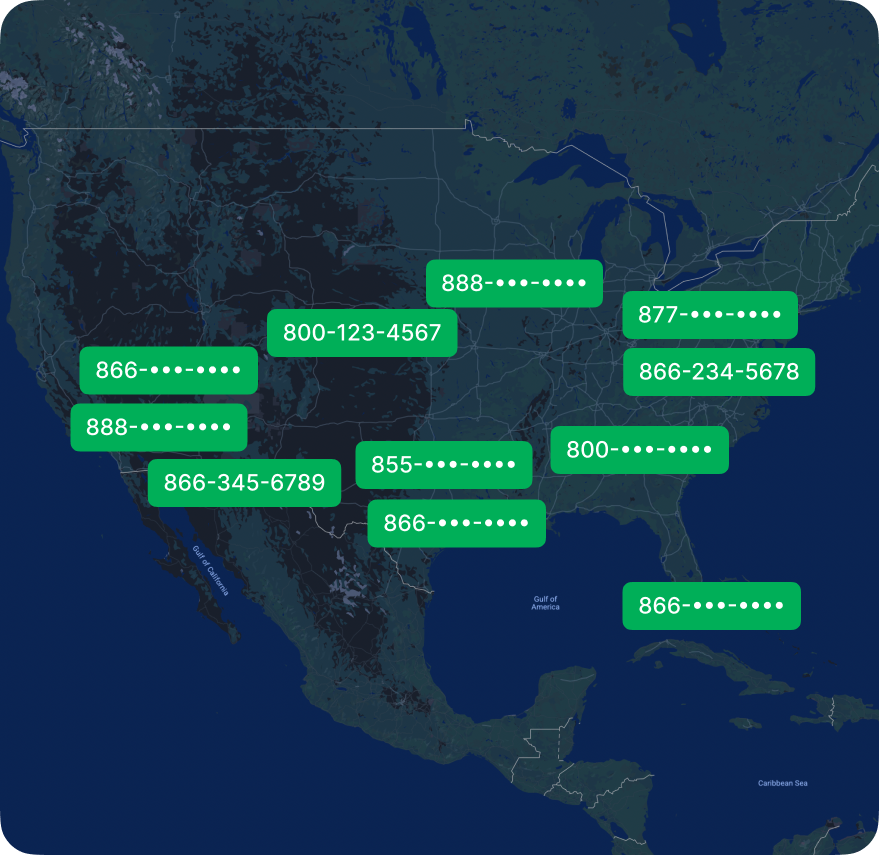
Every DialLink account includes a free local phone number. You can add extra local numbers for $5 per month and toll-free numbers for $7 per month, all managed from a single, easy-to-use interface.
DialLink’s business phone system is designed to make call management both simple and effective for small teams. Depending on your plan, the platform includes advanced features such as call queues with automated callbacks, team availability statuses, caller overflow handling, parallel calling, and advanced conference calling.
If your business relies on both calls and messaging, DialLink offers significantly more flexibility. It supports SMS, MMS, and WhatsApp for Business within a single app, along with automated replies to keep customers informed. This goes beyond Google Voice’s basic SMS-only messaging capabilities.
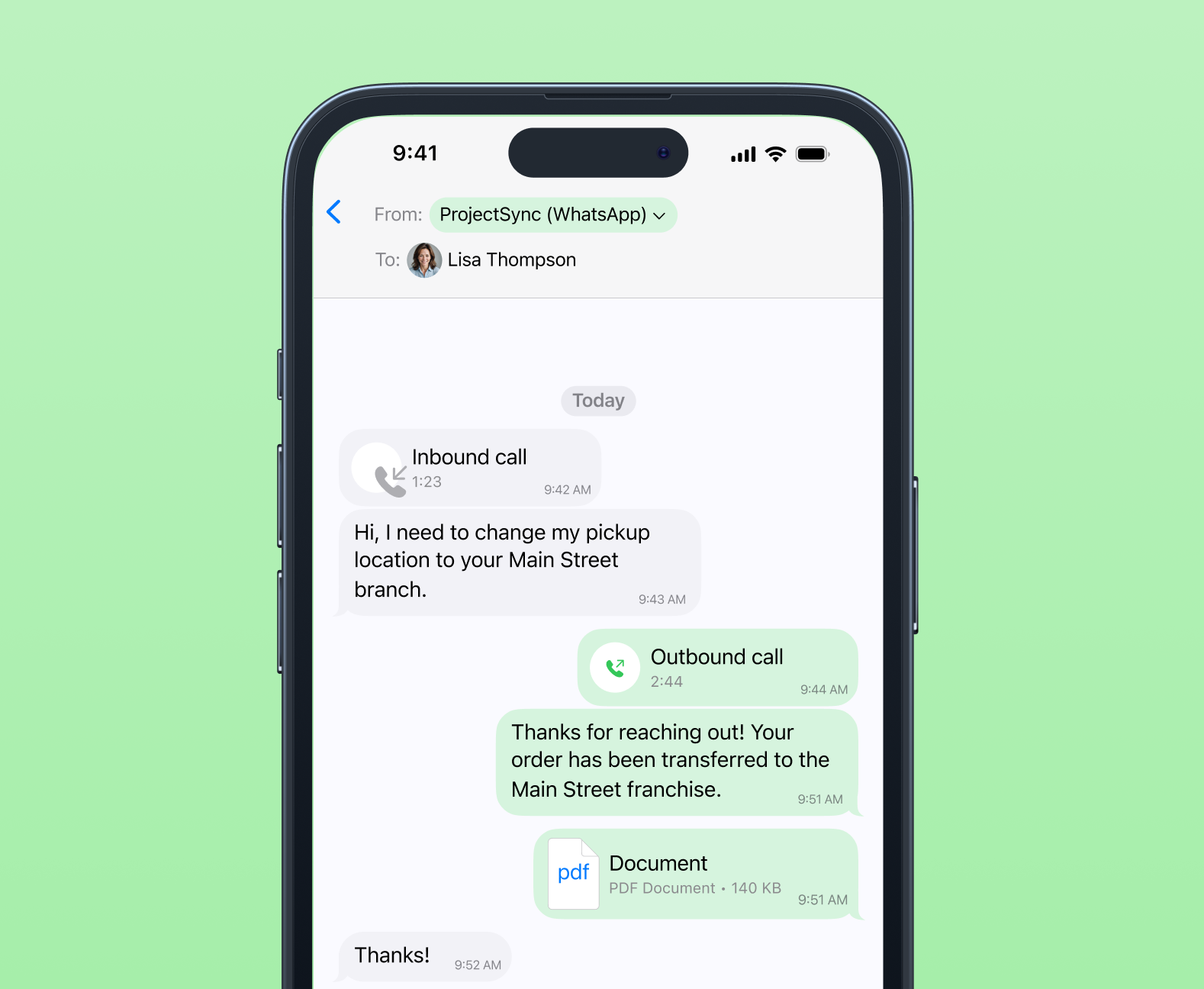
Call and text history associated with a shared number is fully visible to assigned team members. This allows assigned team members to review past interactions, answer incoming calls, place outbound calls, and send messages from the same business number.
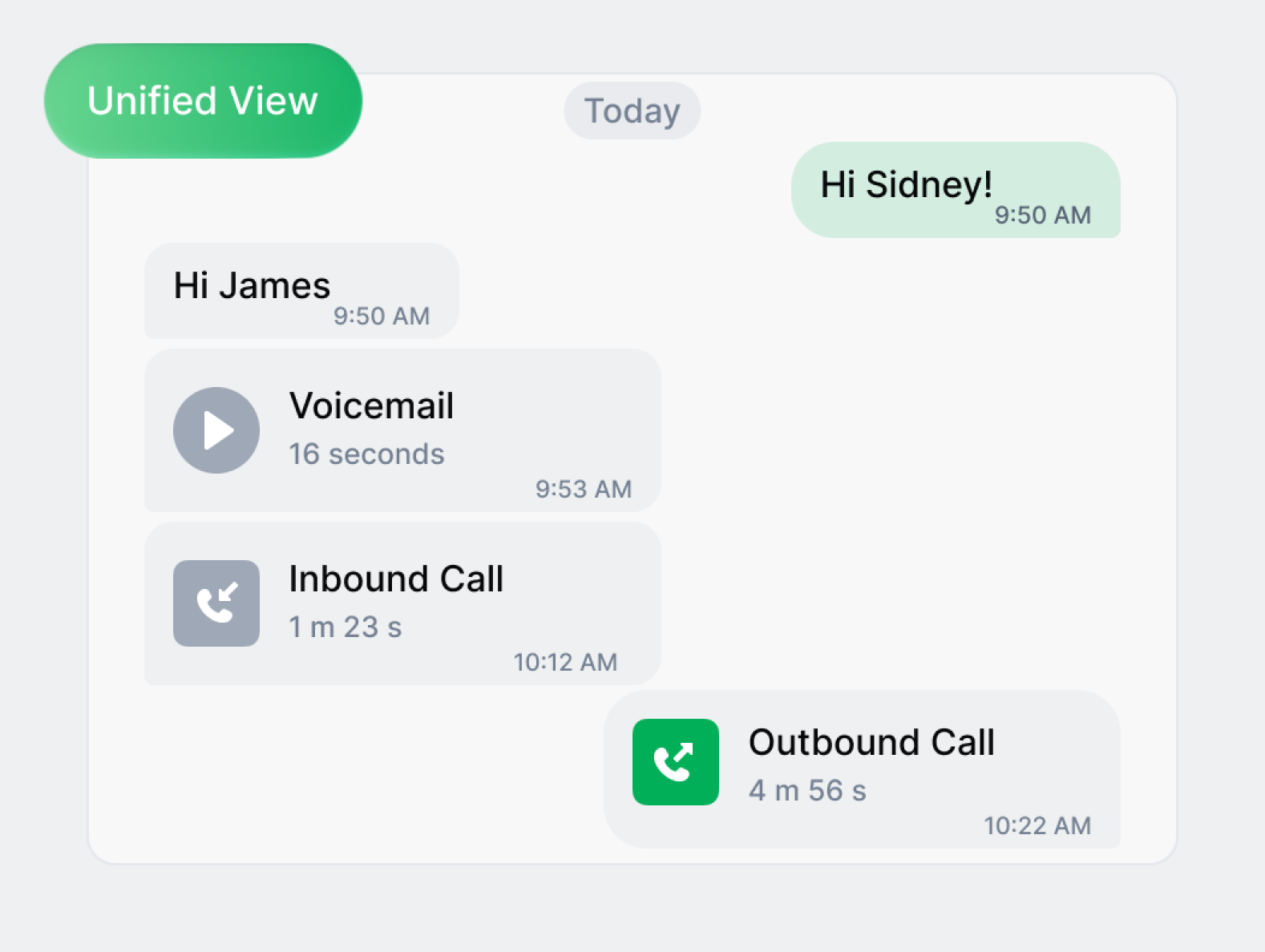
All customer interactions, including calls, texts, and voicemails, are organized into a single conversation thread per contact. This unified view gives teams full context for every interaction, helping them respond faster and more accurately.
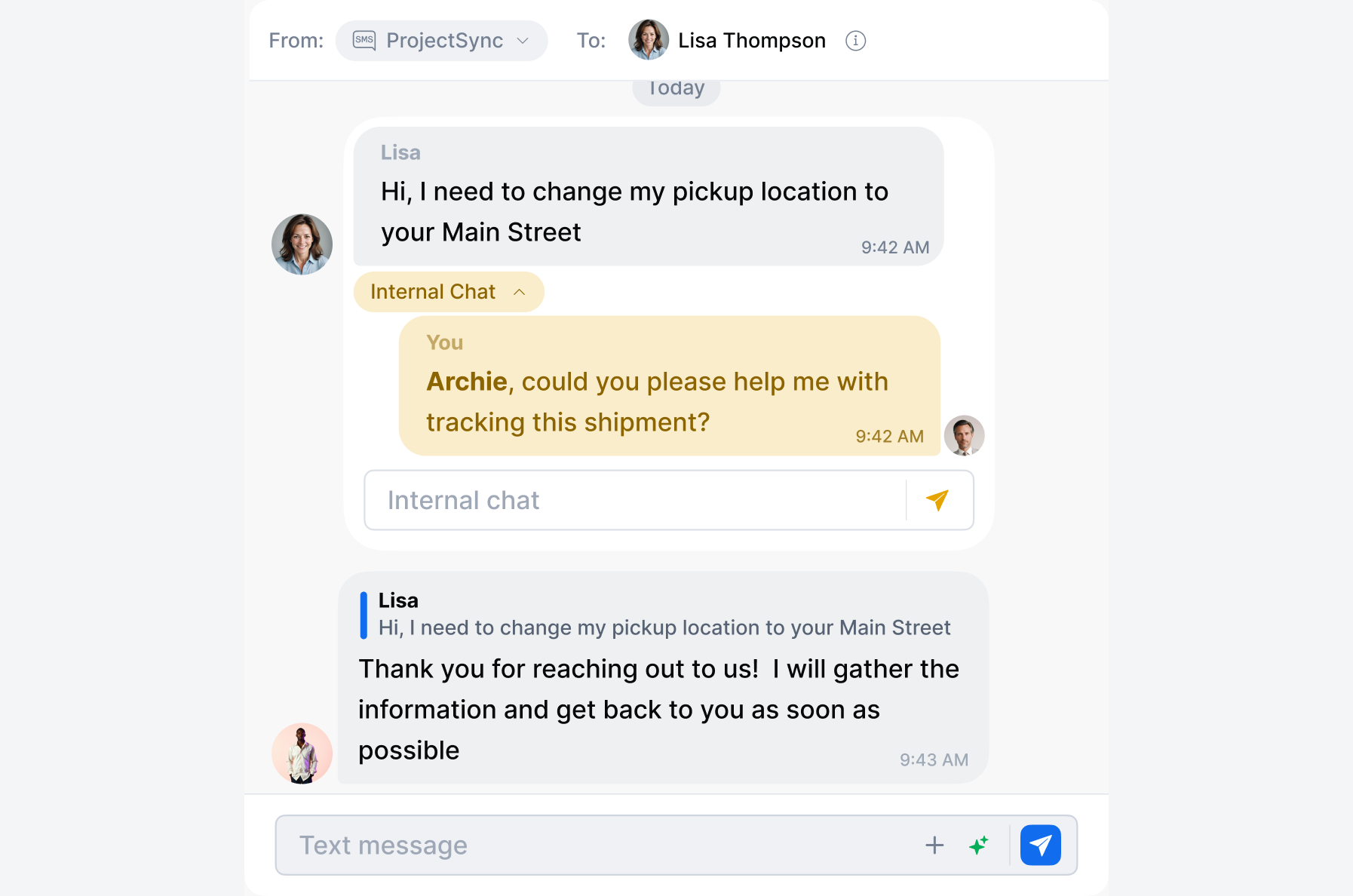
In addition, team members can communicate internally using private chat within the same customer thread, keeping internal collaboration in one place without the need to switch between tools.
The platform also integrates with popular CRMs, customer support tools, and other business applications through native integrations and Zapier, allowing teams to sync contacts and customer activity across their entire tech stack.
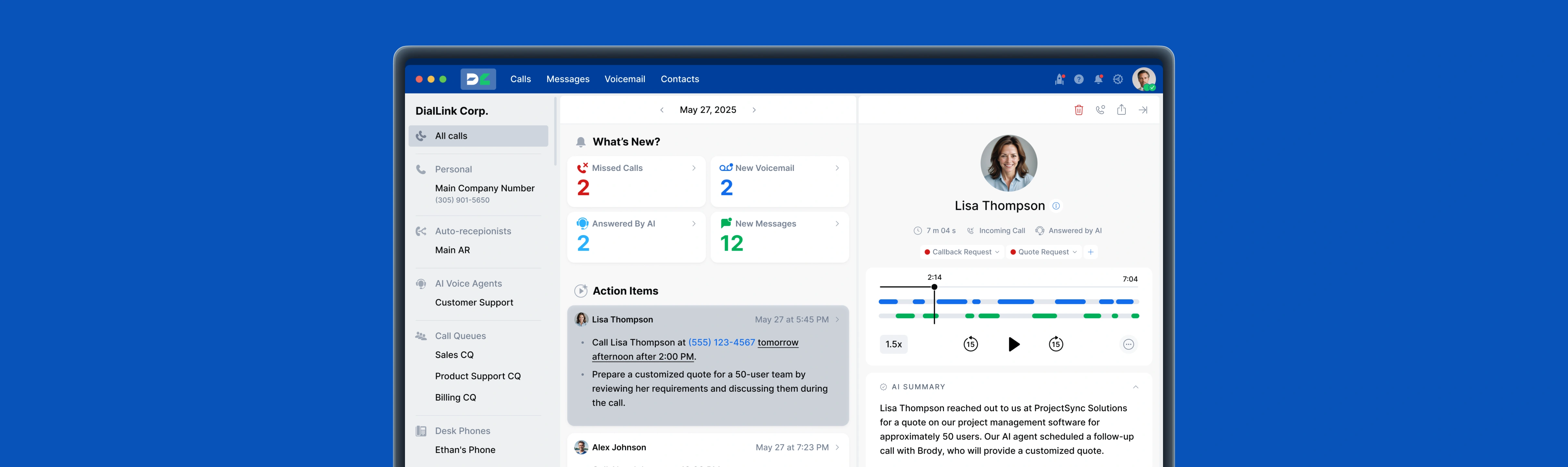
Finally, DialLink includes advanced AI capabilities. Teams can use text-to-speech to create custom greetings, receive AI-powered transcriptions, summaries, and action items for calls and voicemails, and deploy AI voice agents that answer calls, handle routine requests, and qualify leads automatically.
A Google business phone system is a cloud-based VoIP phone service designed for professional use. It allows businesses to make and receive calls, send text messages, and manage voicemails over the internet using web and mobile apps.
Google Voice personal is a free service intended for individual use. It provides a single phone number with basic calling and texting features and limited functionality.
Google Voice for Business is a paid service designed for professional use. In addition to calling and texting, it includes business-oriented features such as auto attendants, ring groups, administrative controls, and integration with Google Workspace tools.
Google Voice for Business pricing starts at $10 per user per month and goes up to $30 per user per month, depending on the plan. Higher-tier plans require an active Google Workspace subscription.
In most cases, yes. Google Voice for Business is typically purchased as an add-on to a Google Workspace subscription. While the Starter plan can be used independently in limited scenarios, most businesses need an active Google Workspace account to access Google Voice’s full functionality and integrations.
Featured Tags
Share


Arina Khoziainova
Content Writer at DialLink
Arina is a content writer with over 7 years of experience in the IT industry. At DialLink, she creates clear, insightful content that helps small business and startup owners simplify communication and drive growth using modern tools. With a strong focus on practical value, Arina transforms complex topics into accessible, actionable stories.

Keep Reading

Auto Attendant Call Flow Templates
Use these auto attendant templates to create your own business-hours, after-hours, and holiday call handling logic.
May 28, 2026
11 minutes
Types of Business Phone Systems: Cloud, VoIP, PBX & More
Discover different types of business phone systems, how they differ, and which options may be the best fit for your business.
January 07, 2026
12 minutes

Auto Attendant Message Examples and Scripts for Small Businesses
Find a list of auto attendant message examples, samples, and scripts that you can use for your small business phone system.
December 25, 2025
10 minutes

Auto Attendant Recordings: Examples, Samples and Best Practices for Small Businesses
Explore auto attendant recording examples, samples, and tips for small businesses and startups to create professional phone greetings.
December 24, 2025
7 minutes
Best Auto-Attendant Systems & Services for Small Businesses
Explore the best auto attendant systems and software for small businesses. Learn features, types, and top providers.
December 23, 2025
10 minutes

Google Voice Auto Attendant: What It Is and How It Works
Explore how Google Voice auto attendant works and whether it’s right for your small business.
December 22, 2025
9 minutes

Auto Attendant vs Call Queue: What Small Businesses Need to Know
Discover the differences between auto attendants and call queues, and how your small business phone system can use both for better call handling.
December 16, 2025
8 minutes

Auto Attendant vs IVR: What’s the Difference and Which One to Choose for a Small Business
Discover how auto attendants and IVR systems differ, how they work together, and which call routing option fits your small business best.
December 15, 2025
9 minutes