Blog
Product Updates
What's New in DialLink: AI Messaging Agents, Smarter AI Customization and More

What's New in DialLink: AI Messaging Agents, Smarter AI Customization and More
AI messaging agents for SMS and WhatsApp, deeper customization control over how AI agents lead conversations, phone extensions, and more.



This month, AI agents took centre stage. First, they've moved beyond phone calls: your AI agents can now handle text conversations too, over both SMS and WhatsApp for Business. Second, you get far more control over how you customize them and shape the way they lead a conversation.
Beyond that, we introduced extensions that work across every part of your phone system and added more granular settings to our native Salesforce integration.
That’s not all! Here's a look at what's new.
Never Miss a Text Message with AI Messaging Agents
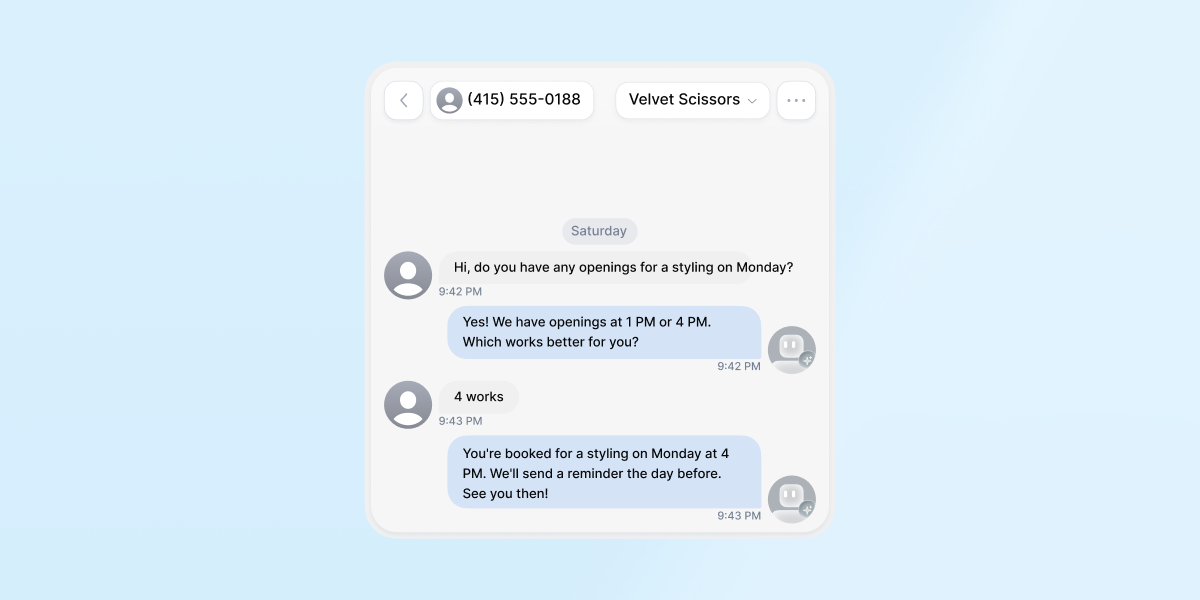
DialLink's AI agent already answers phone calls for you. Now it can do the same for text conversations. When a customer messages in, your AI messaging agent replies instantly, keeps the conversation moving, and collects the details your team needs, even after hours or when everyone is busy. It works over SMS and MMS, and once you connect WhatsApp for Business to DialLink, over WhatsApp for Business too.
Learn more about AI messaging agents >
Customize Your AI Agents to Match Your Business
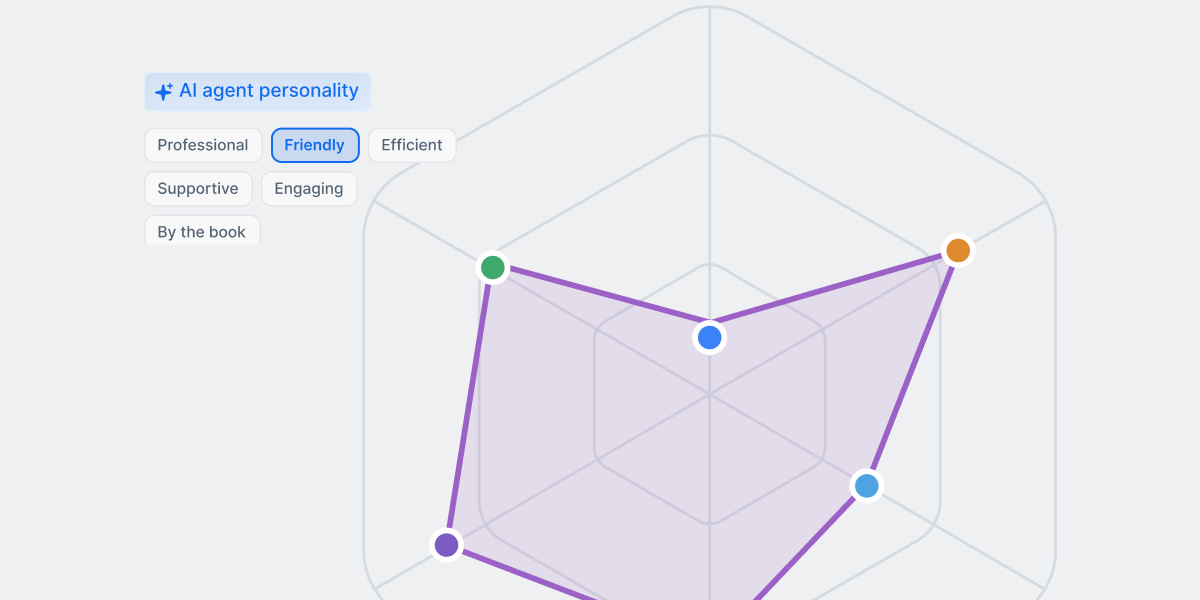
You could already customize your AI agent by giving it instructions on how to behave and providing your business context. Now you can shape it further. Add complete company details and a role description, then fine-tune its personality so it handles conversations in a way that matches your brand.
To help it lead conversations more effectively, set up a script with opening and closing lines and general rules for handling calls. You can also map out a detailed flow for specific topics, such as appointment scheduling or billing questions, with questions, answers, and branches based on how the customer responds.
Let Callers Dial Straight to the Right Destination
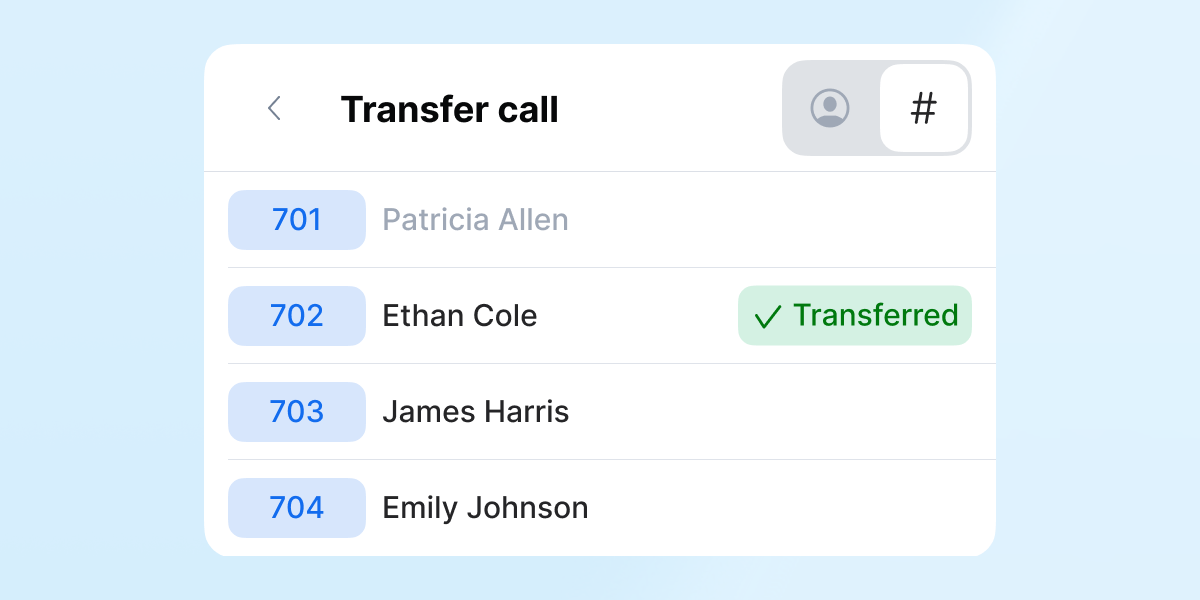
Assign extensions to a person, a team, a queue, or an AI agent, then share them with your clients so they can dial straight through when they call your main line. That way, callers who already know who they're trying to reach will be routed instantly without menus. You can also let your auto-receptionist announce available extensions instead of a standard menu, then route the call based on the caller's selection.
Internal teams benefit too: instead of hunting through a contact list, employees can transfer calls to teammates in seconds by dialing a short code.
Add Granularity to Contact and Activity Sync Between DialLink and Salesforce
The Salesforce native integration now gives you more control over what syncs. Choose which DialLink users' activity syncs to Salesforce, and pick which contacts to bring in, so you're only working with what's actually relevant to your team.
Contacts now sync both ways, including leads, the people your team calls and texts most. The contact or lead update in one system will show up in the other automatically, so your records stay accurate without manual entry.
Learn more about Salesforce integration with DialLink >
More Improvements This Month
- Set holiday schedules in seconds: Choose a pre-built US or Canada holiday schedule and edit it to match how your business actually runs.
- Make holidays sound intentional: Set holiday greetings for auto-receptionists, call queues, and ring groups, so a holiday sound planned rather than like an unexpected closure.
- Add AI suggested contacts in one click: AI-suggested contacts now carry a "Maybe" badge and sit in their own section of the Contacts tab, so you can spot them at a glance and accept them in a single action.
- Find any number in seconds: Filter your phone numbers by owner, including numbers with no owner, from a searchable list.
- Control who gets a call first: Set the order in which team members are called when they're part of a call queue or ring group, or the order in which an auto-receptionist reaches them.
- Give customers better answers automatically: AI-suggested replies for messaging now craft more relevant, helpful responses.
- Keep managers in the loop without adding them to the queue: Admins can now add extra notification recipients to a call queue, so a manager or backup stays informed without being a queue member.
- A clearer view of your calls and conversations: Unread conversation counts and identity cards showing who a contact is and which of your numbers they called now appear across the calls list and Conversations.
- Identify and resend failed messages: A clear "Failed to send" indicator now flags failed messages, so you can resend them with one click.
- Get more context inside the conversation thread: Call tags and transcriptions now appear inside the conversation thread, along with call and voicemail recordings that can be played right in the conversation.
- Forward voicemails received on a desk phone: Forward a voicemail received on a desk phone to another extension, so a message that landed on one device can be passed to another.
- Find desk phones faster: Search for desk phones by MAC address.
Stay tuned, more updates are on the way.
Ready to see the latest updates in action? Try DialLink free for 7 days.
Share


Arina Khoziainova
Content Writer at DialLink
Arina is a content writer with over 7 years of experience in the IT industry. At DialLink, she creates clear, insightful content that helps small business and startup owners simplify communication and drive growth using modern tools. With a strong focus on practical value, Arina transforms complex topics into accessible, actionable stories.

Keep Reading

What’s New in DialLink: AI Voice Agents and Native Integrations
Explore the latest updates in DialLink: New integrations for AI voice agents and business phone system.
August 06, 2025
3 minutes

What’s New in DialLink: AI Call Tagging, Call Transfers and Knowledge Bases for AI Voice Agents
Explore what’s new in DialLink: AI call tagging, call transfers and knowledge bases for AI voice agents and more.
July 03, 2025
2 minutes

What’s New in DialLink: Native Integrations for WhatsApp, HubSpot, Slack, and Business Contacts
Discover new integrations for WhatsApp, HubSpot, Slack, Google, and Microsoft 365.
April 29, 2026
3 minutes

What’s New in DialLink: Internal Messaging, One Unified Thread and More
Explore what’s new in DialLink: internal messaging, one unified thread, and more.
October 08, 2025
2 minutes

What’s New in DialLink: Built-in AI Voice Agents and Desk Phone Support
Discover how DialLink automates routine calls with built-in AI voice agents and works seamlessly with your desk phones.
May 27, 2025
2 minutes

What's New in DialLink: Quick Actions and Desk Phone Contact Sync
See what's new in DialLink: right-click quick actions and contacts synced from your CRM and contact tools to your desk phone.
July 15, 2026
2 minutes

What’s New in DialLink: Automated Number Porting and Mobile App Homepage
Explore what’s new in DialLink: seamless phone number porting and an action-focused mobile app homepage.
March 26, 2025
1 minute

How DialLink Leverages MCP to Streamline AI Integrations
Discover how DialLink leverages MCP to connect AI agents with AI models and business tools, enabling them to solve real business challenges.
October 07, 2025
14 minutes