Home
Integrations Marketplace
Salesforce
Salesforce
Native integration
Ensure a single source of truth for your sales and support teams by automatically syncing contacts, leads, calls, and text messages from DialLink to your Salesforce account.
Overview
DialLink’s native integration with Salesforce automatically syncs contact and lead details, including names, phone numbers, email addresses, and job titles between the two platforms.
Calls made in DialLink are automatically logged in Salesforce. Logged data includes call details and AI-generated transcripts, summaries, and action items. SMS messages are also logged and tied to the appropriate contact records.
You can also initiate calls directly from Salesforce by clicking on a phone number.
This integration eliminates manual data entry, saves time, and keeps your communication history organized and easily accessible.
How it looks
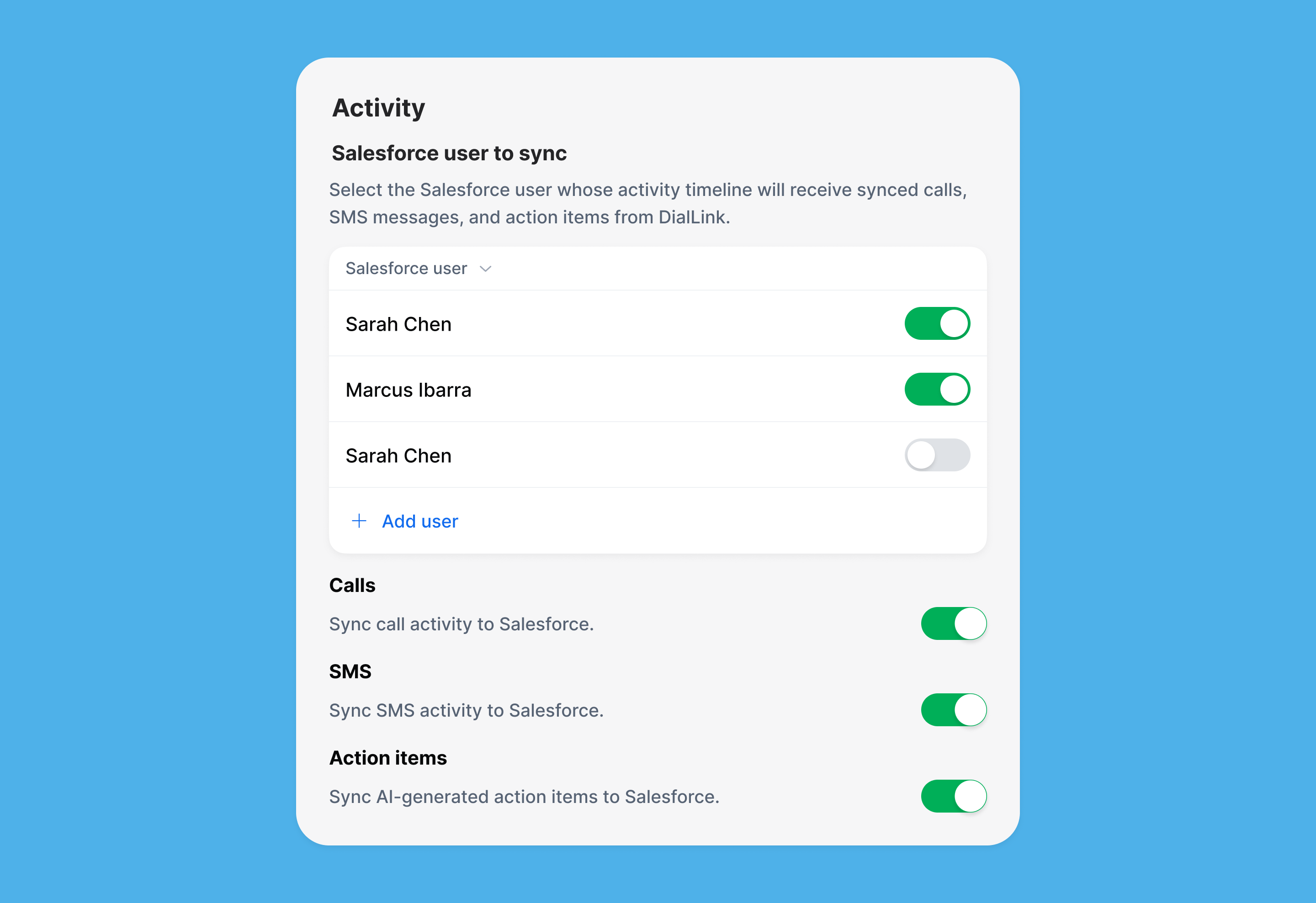 How the integration looks like on the DialLink side
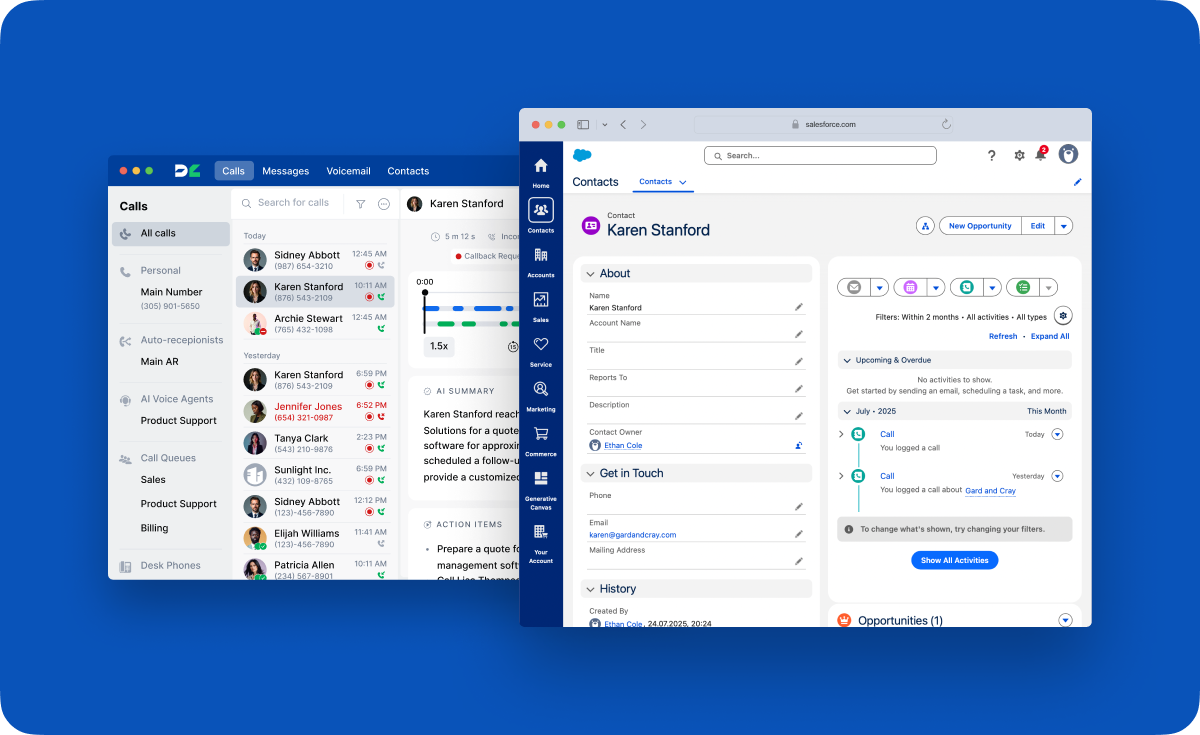 How the synchronized data looks in a Salesforce contact record
Features
- Choose which DialLink users the sync applies to.
- Bi-directional contact sync between DialLink and Salesforce.
- Bi-directional lead sync between DialLink and Salesforce.
- Automatic call logging in Salesforce records.
- Automatic SMS logging in Salesforce records.
- Click-to-call functionality directly from Salesforce.
What is Salesforce?
Salesforce is a cloud-based customer relationship management (CRM) platform that helps businesses manage customer data, sales, marketing, and support. It allows teams to track interactions, automate workflows, and gain insights into customer behavior, all in one centralized system. Salesforce also offers tools for collaboration, reporting, and analytics to improve decision-making and customer engagement.