Blog
Business Phone System
Best Auto-Attendant Systems & Services for Small Businesses

Best Auto-Attendant Systems & Services for Small Businesses
Explore the best auto attendant systems and software for small businesses. Learn features, types, and top providers.



Looking for the best auto attendant systems for your small business? With so many services promising professional call handling, it can be difficult to know which solution truly fits your needs.
In this article, we’ll explain what auto attendant systems are, highlight the key features to look for, explore the different types available, and review leading solutions to help you choose the right one for your business.
What Is an Auto Attendant System?
An auto attendant system, also called an auto attendant answering system, is a call routing feature that answers incoming calls using pre-recorded voice messages. Instead of relying on a live receptionist and manual call transfers, the auto attendant handles calls automatically, both during business hours and after hours.
Most modern auto attendant systems are integrated with an automated phone menu called an interactive voice response (IVR). The IVR phone menu presents callers with menu options (for example, “Press 1 for Sales” or “Press 2 for Support”) and routes the call based on the caller’s selection.
Depending on how it’s configured, calls can be routed to:
- A specific user or extension
- A ring group or department
- A call queue with hold music or announcements
- A voicemail inbox
Together, the virtual receptionist and IVR act as an automated front desk for your business. This setup improves call routing accuracy, reduces missed calls, and ensures callers are handled in a professional and structured way from the very first interaction.
Key Features to Look for in an Auto Attendant Software
The best auto attendant software does more than simply pick up calls and forward them. When it’s part of a modern virtual phone system, an auto attendant works alongside other call management features to create a smooth, organized caller experience from start to finish. Below are the key features to look for.
Customizable Greetings
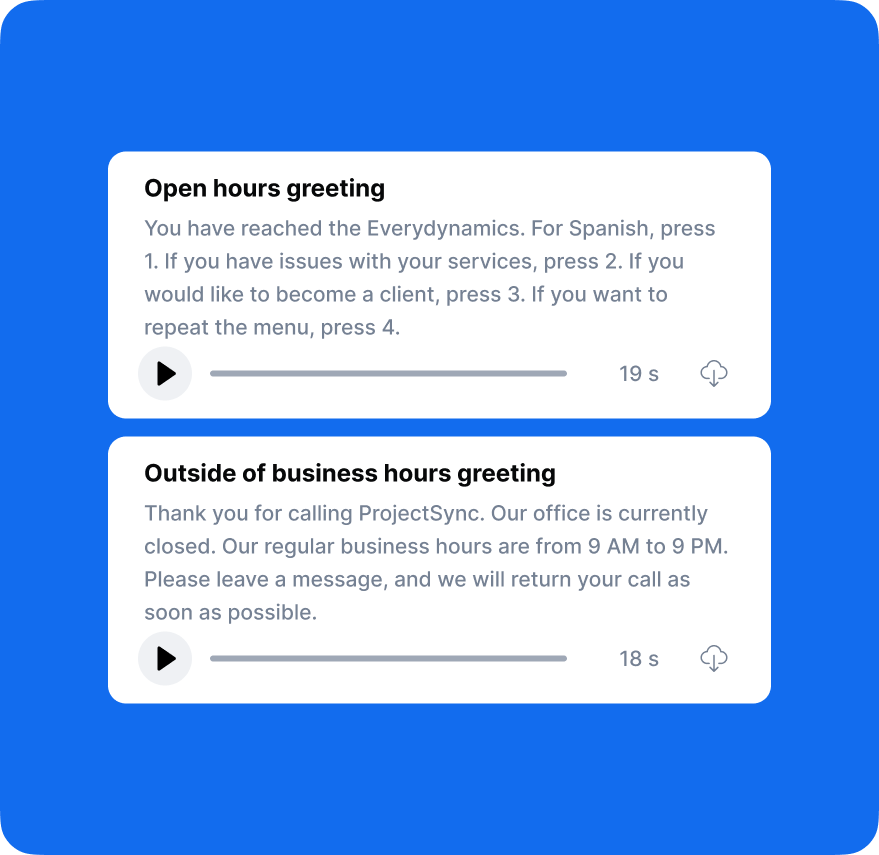
Auto attendant software allows you to upload pre-recorded greetings that are automatically played to callers. These business phone greetings can include essential information such as business hours, location details, or important updates.
Modern business phone systems like DialLink let you generate custom greetings directly within the platform and assign them to your auto attendant for different occasions, including business hours, after-hours, and holidays.
Time-Based Call Routing
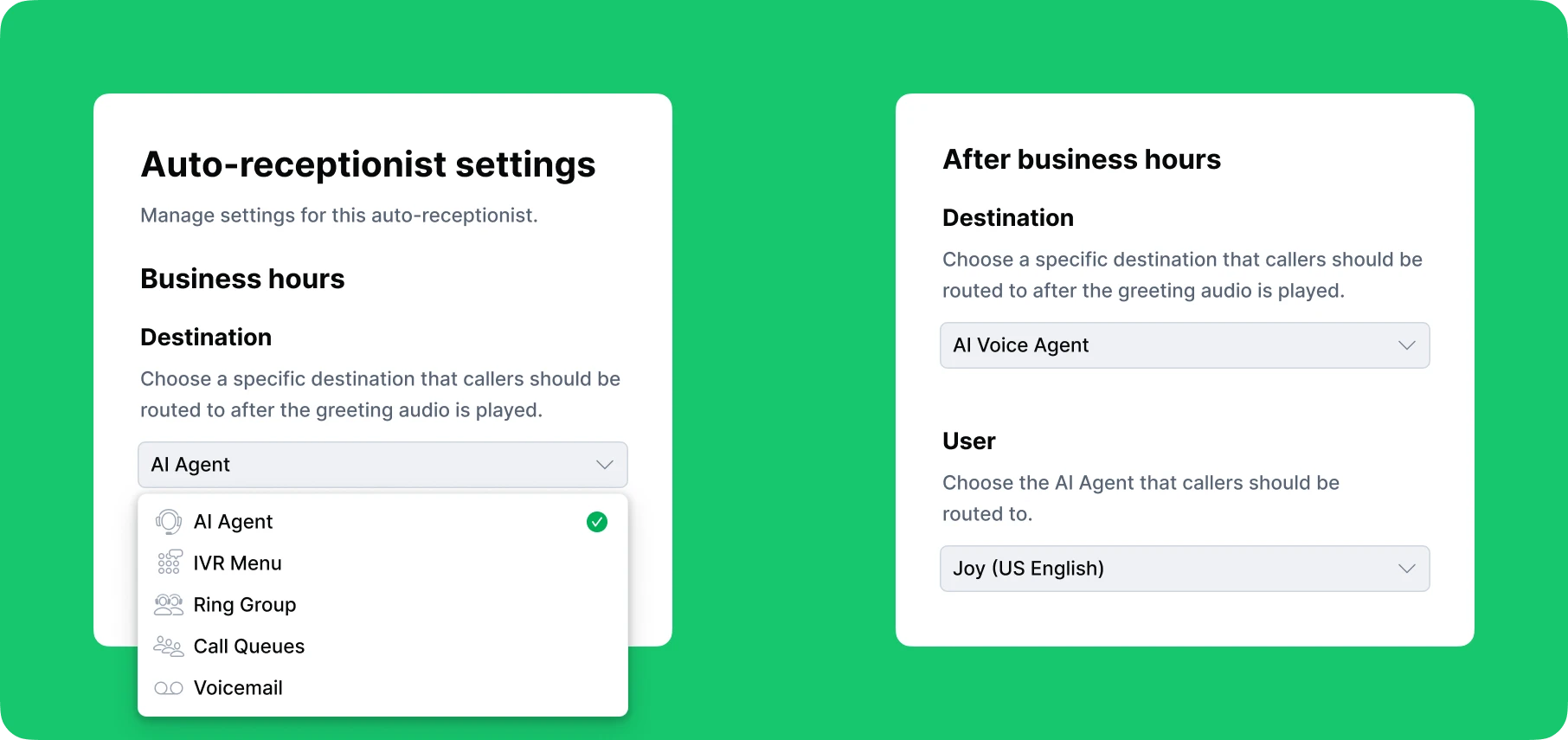
With time-based routing, calls can be handled differently depending on the time of day or day of the week. During business hours, calls may be routed to team members or ring groups, while after-hours calls can be sent to voicemail or an AI voice agent. This helps ensure callers always reach the most appropriate destination.
Text Auto-Replies
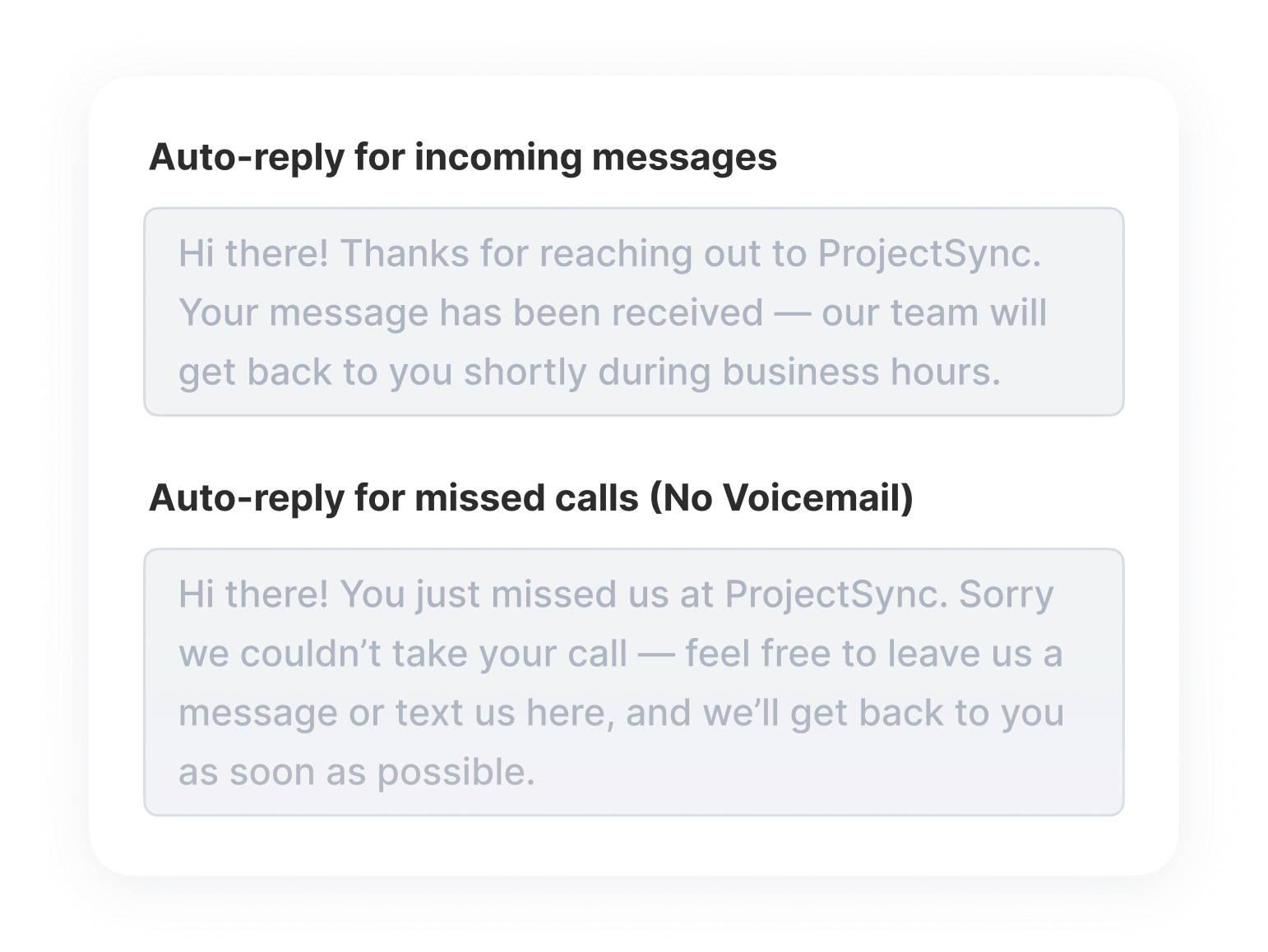
Some automated phone attendants go beyond voice calls and include automated text replies. These messages can automatically acknowledge missed calls or confirm that a voicemail has been received, helping businesses stay responsive even when staff are unavailable.
Call Routing with IVR Phone Menus
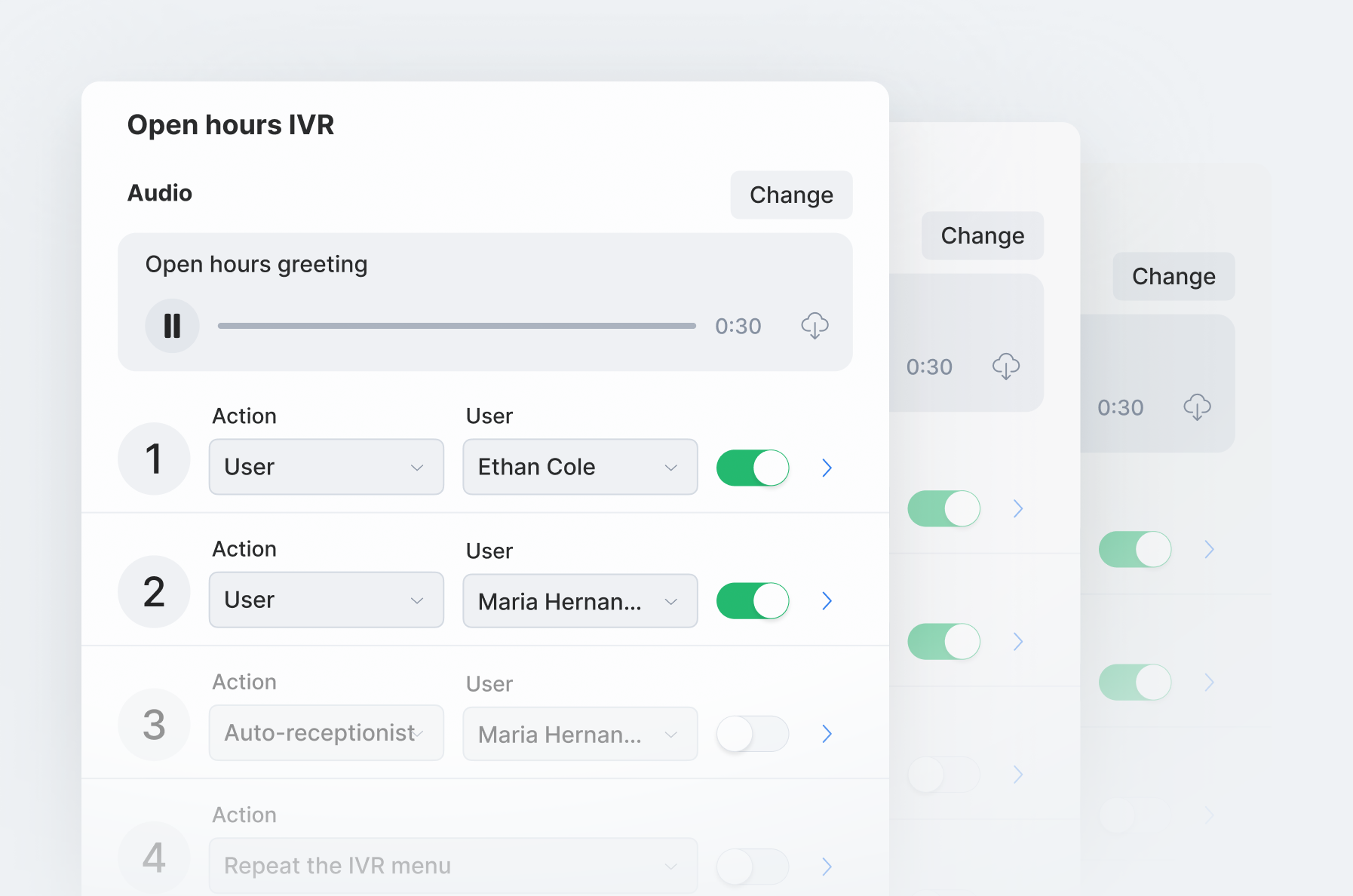
Auto-attendant answering systems with integrated IVR menus add an extra layer of control, allowing callers to choose where their call should be routed using their keypad or voice input.
Based on the caller’s selection, the auto attendant directs the call to the appropriate user, department, call queue, or voicemail, reducing misrouted calls and unnecessary transfers.
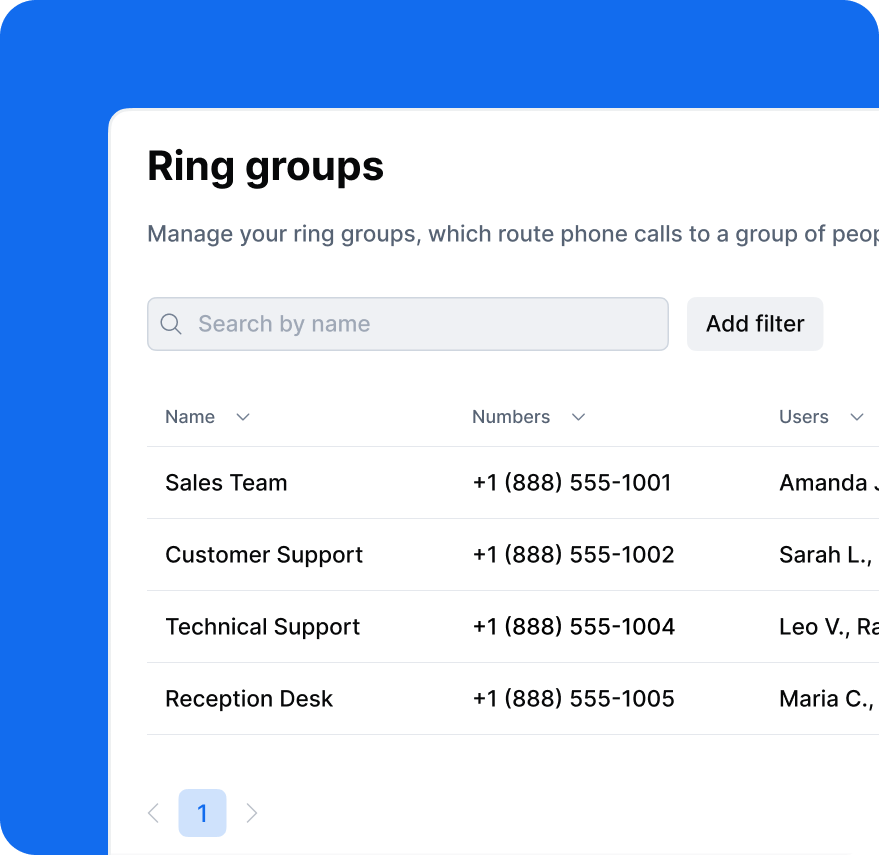
Ring Groups
An auto service attendant can route incoming calls to ring groups, allowing the call to ring multiple users at the same time. This increases the chances that someone answers quickly and helps distribute calls more evenly across teams such as sales or support.
Call Queues
Another destination an auto attendant can route calls to is a call queue. A call queue acts as a virtual waiting line, allowing callers to wait until an agent becomes available.
While waiting, callers can hear hold music or informational announcements, which helps manage high call volumes and reduces call abandonment.
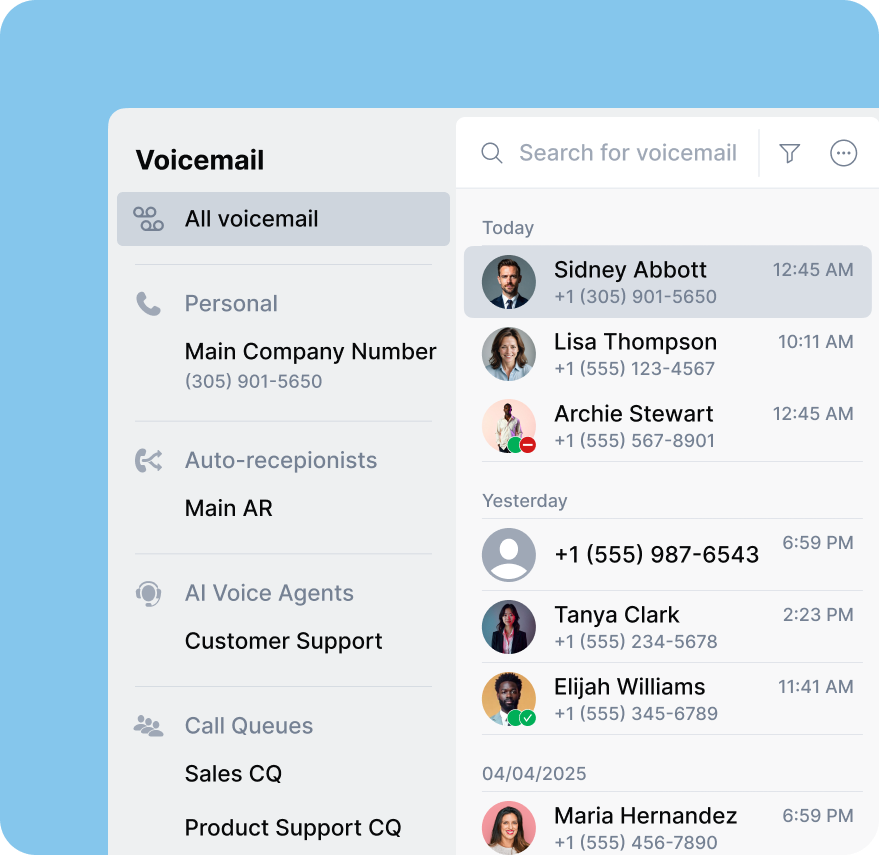
Voicemail Handling
When auto attendant software is part of a business phone system, it can route callers to a structured and easy-to-manage voicemail inbox.
Voicemails can be delivered to individual users or shared inboxes and are often paired with notifications or transcriptions, helping teams review messages efficiently and follow up faster.
Complete Call Timeline
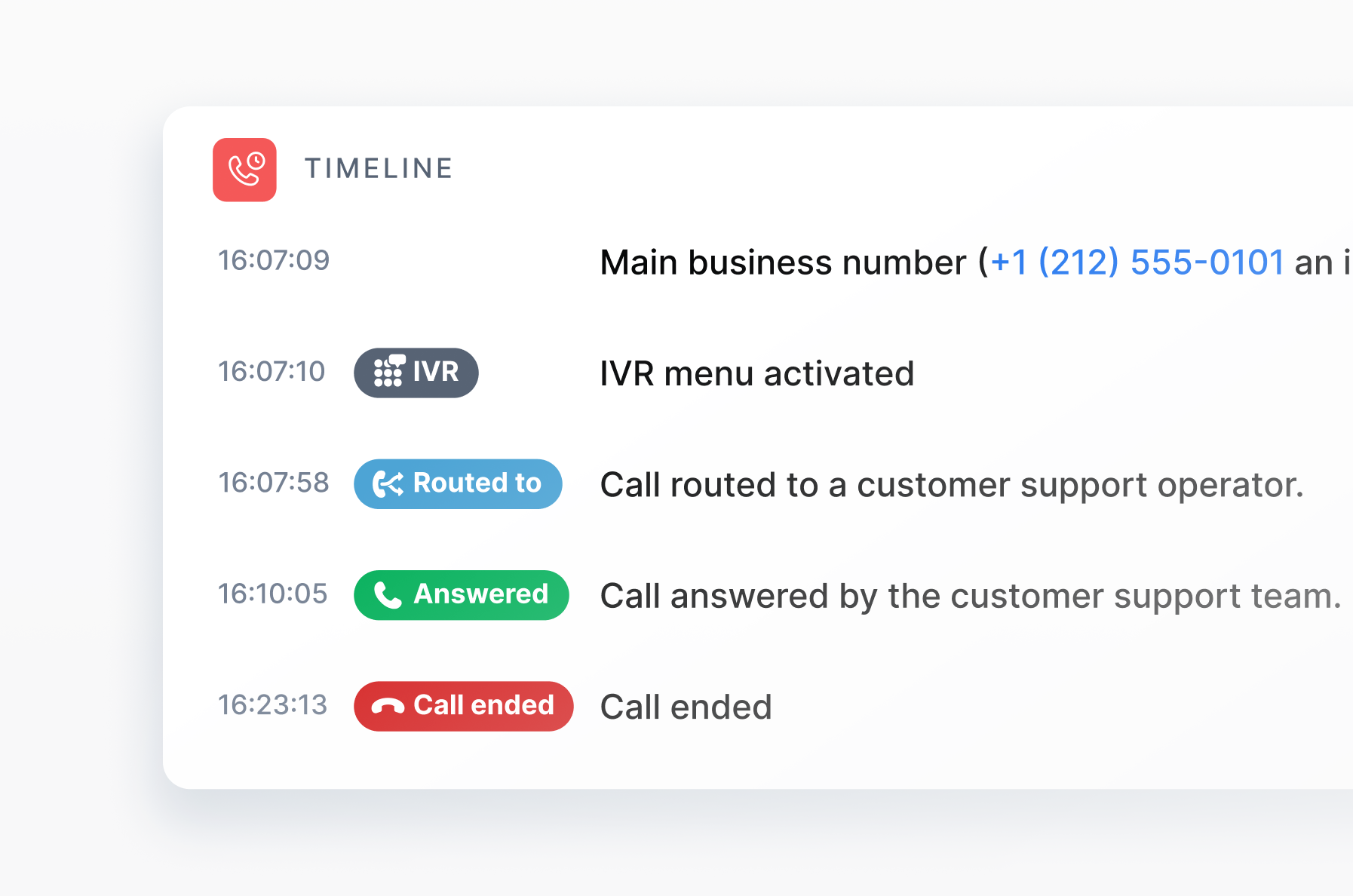
One of the best practices when using an auto attendant is to regularly review its performance to ensure call flows are working as intended.
Virtual phone systems provide complete visibility into every call through a detailed call timeline, showing key events such as IVR selections, call pickups, transfers, and hangups. This helps businesses identify issues and optimize call routing.
Key Types of Auto Attendant Phone Systems for Small Businesses
Not all auto attendant phone systems for small businesses are the same. For small businesses and startups, understanding the main types of auto attendant solutions can help you choose the right option based on budget, flexibility, and long-term needs. Below are the most common types of auto attendant phone systems available today.
Cloud Auto Attendant System
Most modern auto attendant systems are cloud-based, meaning they run on internet phone systems (VoIP) rather than on-premises hardware. These systems are hosted by the service provider and accessed through a web-based interface or an app on your computer or mobile phone.
Cloud-based auto attendants are popular with small businesses because they are easy to set up and manage. They also do not require physical equipment or an IT team. Updates, maintenance, and new features are handled automatically by the provider.
Free Auto Attendant Software
Many small businesses search for a free auto attendant, but in reality, most reliable auto attendant systems are part of paid phone plans. A truly free auto attendant app or service is rare and often comes with major limitations. Even widely known options, such as Google Voice, do not include an auto attendant in the free personal plan.
In practice, what is often advertised as “free auto attendant software” usually comes with significant limitations, such as restricted menu options, limited call routing capabilities, or usage caps that make it impractical for most small businesses.
Paid Auto Attendant Software
The most reliable alternative to free solutions is paid auto attendant software, which is usually offered as part of a full business phone system. While paid options may sound expensive at first, many providers offer plans designed specifically for small businesses and startups.
For example, DialLink’s business phone system start at $15 per user per month, making professional call handling accessible even for small teams. At this price point, you’re not just paying for an auto attendant; you’re getting a complete call management solution.
DialLink’s auto attendant software includes a broad set of features, such as customizable greetings, IVR menus, ring groups, call queues, and voicemail management. In addition, it often comes with essential call-handling tools that help teams manage conversations more efficiently, including call transfers, parallel calling, and call forwarding.
For small businesses, this bundled approach offers better value than standalone or limited “free” solutions. Instead of paying separately for different tools, paid auto attendant software delivers a structured, scalable system that supports both current needs and future growth.
What Is the Difference Between an Auto Attendant Service and Systems?
The terms "auto attendant system" and "auto attendant service" are often used interchangeably, but there is a subtle difference worth understanding.
An auto attendant system refers to the software itself, meaning the feature that answers calls, plays greetings, and routes callers. An auto attendant service refers to how that software is delivered: hosted by a provider, so you access it through a subscription without building anything yourself.
Top Small Business Phone Systems with Auto Attendant
Below are some leading phone systems and services with built-in auto-attendant features, popular among small businesses in the US and Canada:
Quo (formerly OpenPhone) Auto Attendant System
Quo’s business phone system includes an auto attendant feature that is integrated with IVR phone menus. The auto attendant can be assigned to both local and toll-free phone numbers, allowing businesses to automate how incoming calls are answered and routed.
With Quo, you can create custom greetings and attach them to your auto attendant, giving callers clear instructions and a consistent first impression. The IVR-based setup makes it easy to route calls to users, teams, or voicemails based on caller input.
One thing to consider is flexibility. Because Quo’s auto attendant is closely tied to IVR menus, it may be less suitable in scenarios where a phone menu isn’t needed. For businesses that prefer simpler call flows, such as automatically routing callers without requiring menu selections, this setup may require additional configuration or feel more complex than necessary.
RingCentral Auto Attendant Software
RingCentral is an enterprise-grade virtual phone system provider that includes an auto attendant as part of its RingCentral RingEX (formerly MVP) products.
RingCentral offers a multi-level auto attendant and IVR that integrate closely with call queues, allowing businesses to build sophisticated call flows across departments and locations.
Auto attendants can be assigned to both local and toll-free numbers, including international numbers, making RingCentral a strong option for distributed or international teams.
The multi-level auto attendant feature is available across all three RingCentral paid plans, which range from $20 to $35 per user per month, depending on the plan and billing terms.
For small businesses and startups, however, RingCentral may take more effort to set up and manage. Its feature set is broad and enterprise-oriented, which can make setup and day-to-day management more complex. In addition, the pricing and feature structure may feel less straightforward compared to solutions designed specifically for smaller teams.
Dialpad Auto Attendant System
Dialpad is an AI-powered unified communications platform that goes beyond calling to include video conferencing, team messaging, and a wide range of AI-driven features. It’s designed for businesses that want an all-in-one communication solution with a strong emphasis on AI capabilities.
Dialpad’s multi-level auto attendant is included as part of Dialpad Connect and is available on all plans, which start at $15 per user per month. The feature supports business hours and after-hours routing, custom and uploaded greetings, and configurable call routing rules to direct callers to the right destination.
While Dialpad offers a robust feature set for its price, its plan-based limitations can feel restrictive for businesses with tighter budgets. Teams looking for a simpler setup or more predictable pricing may find other auto attendant solutions to be a better fit.
Aircall Auto Attendant System
Aircall does not explicitly position an auto attendant as a standalone feature, but it offers multi-level IVR menus as part of its cloud phone system. These IVR menus can be configured with business hours, custom greetings, and routing rules, making them suitable for structured sales and support workflows.
Because Aircall is primarily designed for high-volume sales and customer support teams, it may feel overly complex for small teams that need simpler call flows or basic call handling without advanced IVR logic.
IVR functionality is available across Aircall plans, with pricing starting at $30 per user per month. Additionally, Aircall enforces a minimum of three users, so the combined per-user pricing and seat requirements can add up quickly for small businesses and startups.
DialLink: The Best Auto Attendant Software for Small Businesses
DialLink’s auto attendant software is built into its business phone system and designed specifically for startups and small businesses. Unlike platforms that focus primarily on large call centers or sales teams, DialLink recognizes the importance of an auto attendant for small businesses and the need for reliable call handling without unnecessary complexity.
For businesses with basic needs, DialLink’s auto attendant can be set up to greet callers with custom messages, route calls directly to a specific user or team, and send after-hours calls to voicemail. This makes it easy to maintain a professional presence even with a small team.
As businesses grow and call volumes increase, DialLink scales with them. Teams can easily configure single- or multi-level phone menus, use call queues to distribute calls, and adjust routing rules as their operations evolve.
This flexibility makes DialLink a strong choice for small businesses with different needs, not just call centers or high-volume support teams. It adapts to both simple and more structured call flows, helping businesses stay organized and responsive at every stage of growth.
If you’re looking for the best auto attendant system, try DialLink’s auto attendant software with a free 7-day trial and see how it works for your business.
Telephone auto attendant software is a feature of a business phone system that automatically answers incoming calls using pre-recorded greetings and routes callers to the right destination. Often described as a virtual receptionist, it helps businesses manage calls without relying on a live operator.
A small business phone system auto attendant is an automated call handling feature. It answers calls, plays greetings, and routes callers efficiently, helping businesses avoid missed calls and appear more professional.
Unlike complex enterprise systems, small business auto attendants are easier to set up, more affordable, and flexible enough to handle both basic and growing call volumes.
The best auto attendant system for small businesses is one that balances simplicity, flexibility, and cost. Small teams often need professional call handling without complex logic or high per-user pricing.
DialLink’s auto attendant is a strong option because it’s designed specifically for small businesses and startups. It supports both simple call routing and multi-level menus, making it flexible for different needs. The system is easy to set up and maintain, even for businesses without dedicated IT teams.
In most cases, no. Some providers might offer limited auto attendant functionality for free, but auto attendants are usually part of paid business phone plans.
Free personal phone services typically do not include auto attendants, call routing menus, or business-hour logic. To get a reliable and professional auto attendant, small businesses usually need a paid cloud phone system.
Featured Tags
Share


Arina Khoziainova
Content Writer at DialLink
Arina is a content writer with over 7 years of experience in the IT industry. At DialLink, she creates clear, insightful content that helps small business and startup owners simplify communication and drive growth using modern tools. With a strong focus on practical value, Arina transforms complex topics into accessible, actionable stories.

Keep Reading

Auto Attendant vs Call Queue: What Small Businesses Need to Know
Discover the differences between auto attendants and call queues, and how your small business phone system can use both for better call handling.
December 16, 2025
8 minutes

Auto Attendant vs IVR: What’s the Difference and Which One to Choose for a Small Business
Discover how auto attendants and IVR systems differ, how they work together, and which call routing option fits your small business best.
December 15, 2025
9 minutes

Auto Attendant Call Flow Templates
Use these auto attendant templates to create your own business-hours, after-hours, and holiday call handling logic.
May 28, 2026
11 minutes
Types of Business Phone Systems: Cloud, VoIP, PBX & More
Discover different types of business phone systems, how they differ, and which options may be the best fit for your business.
January 07, 2026
12 minutes

Google Voice Business Phone System: Features, Pricing, and Limitations for Small Businesses
Learn how the Google Voice business phone system works, explore plans, features, and limitations for small businesses and startups.
January 05, 2026
10 minutes

Auto Attendant Message Examples and Scripts for Small Businesses
Find a list of auto attendant message examples, samples, and scripts that you can use for your small business phone system.
December 25, 2025
10 minutes

Auto Attendant Recordings: Examples, Samples and Best Practices for Small Businesses
Explore auto attendant recording examples, samples, and tips for small businesses and startups to create professional phone greetings.
December 24, 2025
7 minutes

Google Voice Auto Attendant: What It Is and How It Works
Explore how Google Voice auto attendant works and whether it’s right for your small business.
December 22, 2025
9 minutes