Blog
Business Phone System
Virtual Local Phone Numbers: Overview and Benefits

Virtual Local Phone Numbers: Overview and Benefits
Explore everything you need to know about virtual local phone numbers to help you choose the right one for your business.



In this article
- What is a Virtual Local Phone Number?
- The Basics of How Local Virtual Phone Numbers Operate
- Alternatives to Virtual Local Phone Numbers
- Why Do Businesses Choose Virtual Local Phone Numbers?
- Free Virtual Local Phone Numbers: Should Your Business Get One?
- Can You Text with Local Virtual Phone Numbers?
- Important Considerations about Virtual Local Phone Numbers
- Steps to Get a Virtual Local Phone Number with DialLink
Your email lives in the cloud. Your files live in the cloud. So why should your business phone number be stuck in 1995 with copper wires?
Virtual phone numbers operate entirely in the cloud, which means you can get one in minutes and start using it immediately.
And the best part? Your customers will never know the difference, especially when you choose a local area code that makes your business appear right in their community.
What is a Virtual Local Phone Number?
A virtual local phone number is a real working phone number, but unlike traditional numbers, it is not tied to any physical phone line or hardware. Instead, it exists entirely online and functions through a virtual phone system or any app that uses VoIP technology to make and receive calls over the internet.
Virtual phone numbers come in several types, and local virtual numbers are called “local” because they include a geographic area code. For example, a business in New York might use a virtual number with a 212 area code, while a company in Los Angeles might choose 310.
To customers, these numbers look and function just like any standard phone number.
The Basics of How Local Virtual Phone Numbers Operate
At their core, local virtual phone numbers work just like any other phone number. You can use them to make and receive calls. Callers simply dial your number as they would with a regular phone line. When you place a call, your number appears normally to the person you are calling.
The key difference lies in how the number is powered. A virtual local phone number does not operate through a physical phone line. It functions only after being assigned to an account within a virtual phone system or any app that uses VoIP technology to transmit calls over the internet.
Alternatives to Virtual Local Phone Numbers
Virtual local phone numbers are not the only option. Businesses can also choose from more traditional types of phone numbers. Here are the two main alternatives and how they differ from virtual numbers.
Landline-based local phone numbers
Before virtual phone systems became popular, all business phone numbers were tied directly to physical hardware. These landline numbers relied on copper wires connecting office phones to the Public Switched Telephone Network (PSTN).
Landline numbers work reliably, but they lack mobility and require on-premises equipment. Any changes, such as adding lines or moving locations, typically involve installation or service visits, which can be costly and time-consuming.
Local cell phone numbers
A cell phone number uses cellular networks to transmit calls. While more flexible than landlines, it is still tied to a specific device, mobile phone, or SIM card.
This type of number is typically used for employees who work in the field or travel often. It is not connected to the main business phone system. All interactions, including calls and messages, remain on the individual mobile device rather than being shared or managed centrally.
Why Do Businesses Choose Virtual Local Phone Numbers?
Businesses often choose virtual local phone numbers because they are easy to obtain, affordable, and far more flexible than traditional phone lines. Here are the main reasons why businesses prefer virtual phone numbers.
-
One of the biggest advantages is how simple it is to get started. You can obtain a virtual local phone number entirely online, without visiting a store or signing piles of paperwork.
Most providers let you sign up, choose a phone number, and start using it within minutes. Platforms like DialLink even assign you a virtual local phone number automatically right after you create your account.
-
Virtual phone numbers tend to be cheaper than traditional landlines or multiple mobile plans. Many virtual phone systems include unlimited calling and messaging within your country or region at a flat monthly rate with no hidden fees. This is far more predictable than per-minute pricing or carrier packages where usage costs fluctuate.
-
Virtual local phone numbers can be used on desktops, laptops, tablets, mobile phones, and sometimes even desk phones. You simply log in to the app, and your number is available instantly. This flexibility is especially valuable for field employees and remote teams. Instead of carrying separate business phones, employees can install the app on their existing devices and make or receive business calls and texts.
This setup removes the problem of scattered communication channels, since all contacts, messages, and call history stay in one centralized place.
It also eliminates the need to pay for extra mobile plans. For example, a single user can use a virtual phone number on multiple devices for as little as $15 per month, without additional carrier fees.
-
A major benefit of virtual phone numbers is that they typically come with a full virtual phone system or VoIP app. This means you’re not just getting a number. You’re getting tools to manage calls, voicemails, routing, and texting.
Free Virtual Local Phone Numbers: Should Your Business Get One?
For startups and very small businesses, the idea of getting a free virtual local phone number can be appealing. It sounds cost-effective, especially when budgets are tight. But in reality, it’s extremely rare to get a fully functional virtual local number for free, and there are important limitations to consider.
Google Voice is often the first option people look into because it offers free numbers for personal use. However, for business use, it is not free.
If you sign up as a business, Google requires you to identify your account accordingly. This means you must purchase a Google Voice subscription starting at $10 per user per month, plus maintain an active Google Workspace subscription starting at $7 per user per month.
Related reading: Want to learn more about Google Voice? Check out this overview to explore its pricing and available features.
Some apps advertise free local phone numbers for business use, and while the idea may be tempting, these platforms often come with serious drawbacks such as unreliable call quality, limited or non-existent customer support, hidden fees for basic features, ad-filled interfaces, and no guarantee that you truly own the number long term.
For a business, especially one that relies on customer calls, these risks can create more problems than they solve.
Can You Text with Local Virtual Phone Numbers?
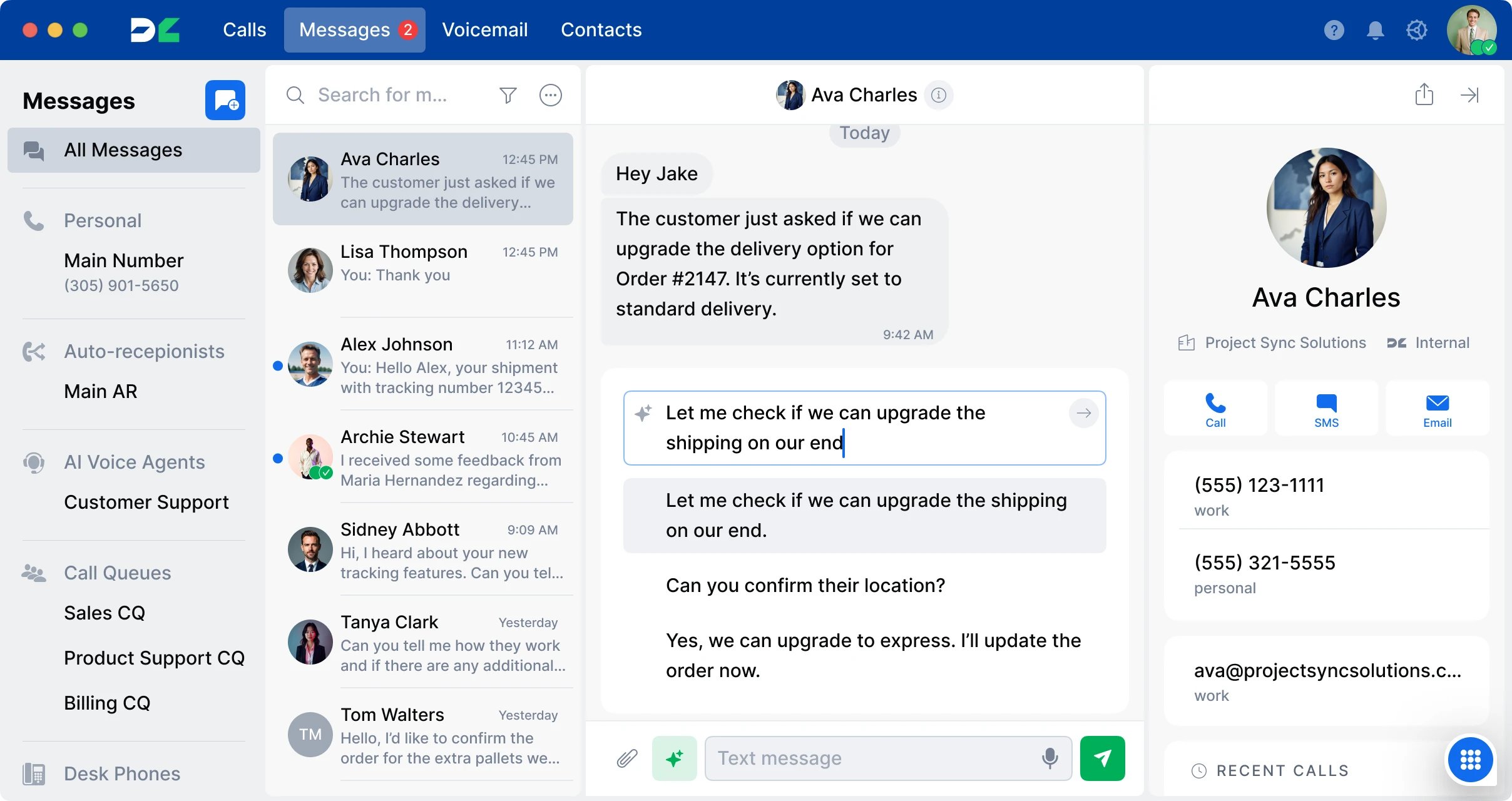
In most cases, yes. Many virtual local phone numbers support texting just like traditional numbers. However, whether SMS or MMS is available depends on the provider powering your virtual number. Some services offer only calling capabilities, while others include full messaging features.
If your number is hosted by a phone system like DialLink, texting is included by default. Depending on your subscription plan, you can send and receive SMS, MMS, giving your business more flexibility in how it communicates with customers.
Important Considerations about Virtual Local Phone Numbers
Because virtual local phone numbers are inexpensive and easy to obtain, they have unfortunately become attractive to phone scammers. Scammers anywhere in the world can quickly acquire a local-looking number and use it for fraudulent activity.
However, this does not mean virtual phone numbers are unsafe or unreliable for legitimate businesses. In fact, the U.S. government has introduced strong regulations and verification frameworks to reduce spam and protect consumers. These include caller authentication standards that help carriers identify and filter suspicious calls before they ever reach the recipient.
For businesses, the best way to avoid being flagged as spam is to use branded caller IDs. They allow you to display your business name and logo on outbound calls and often require identity verification. As a result, customers are more likely to trust your calls, and carriers are less likely to classify them as spam.
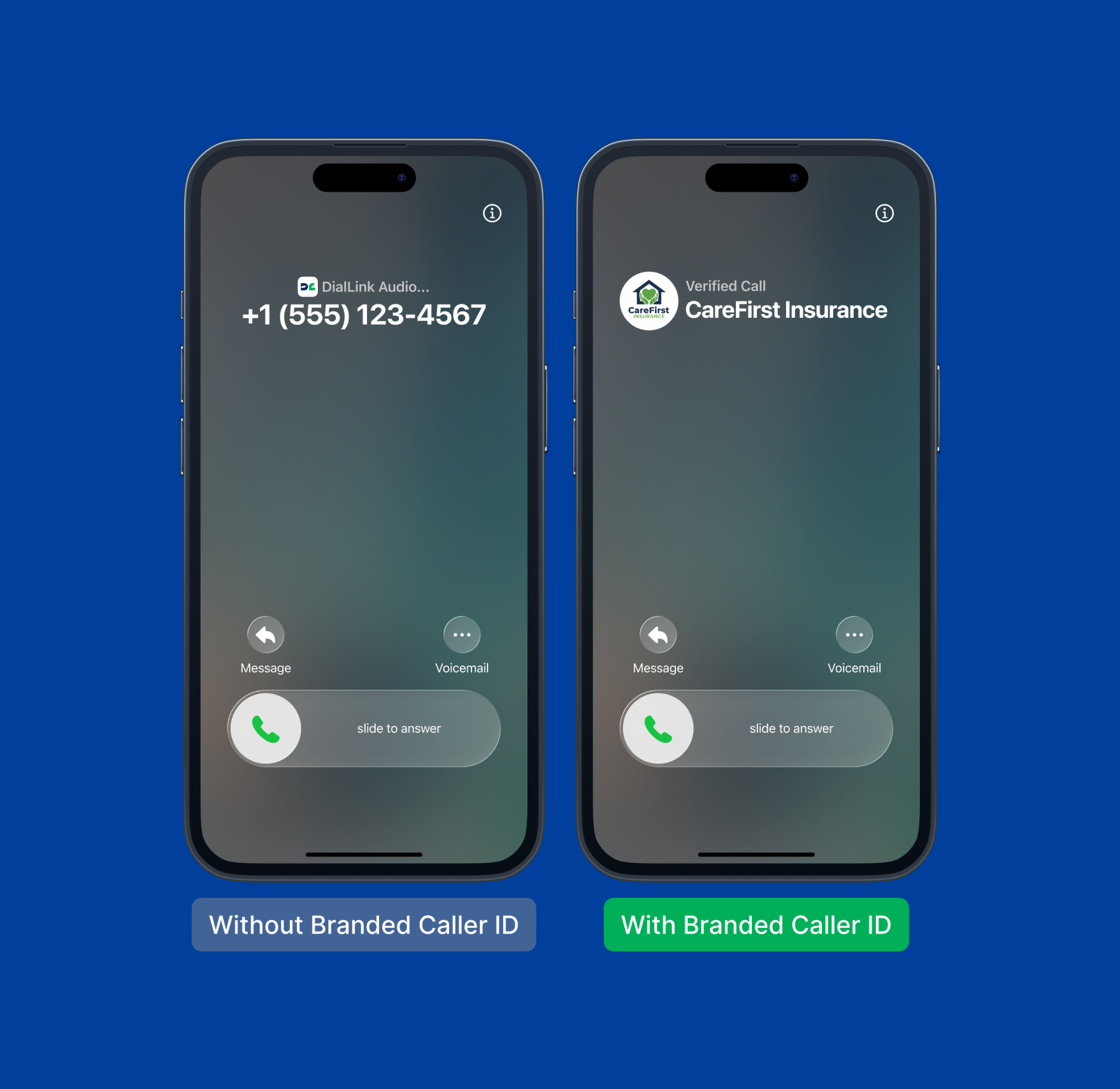
Related reading: Learn what branded calling is and how it helps businesses connect with scam-wary customers.
Steps to Get a Virtual Local Phone Number with DialLink
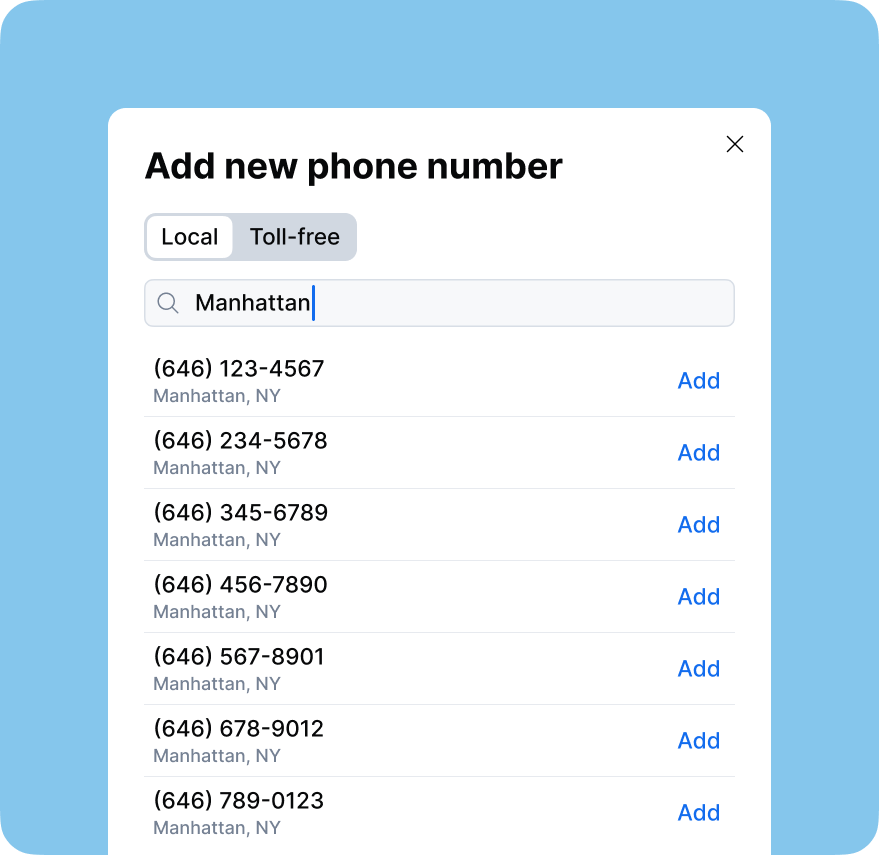
DialLink’s business phone system makes it easy to get a virtual local phone number in any U.S. area code. Whether you need a standard local number or have a specific phone number in mind, you can check its availability using the form below.
CHOOSE_PHONE_NUMBER
Once you’re ready, follow these simple steps to get your virtual local number set up:
Step 1: Sign up for DialLink or start a 7-day free trial. Step 2: Select and purchase the plan that fits your business needs. Step 3: After registration, you’ll automatically receive a free local phone number that appears in your account and is ready to use immediately.
That’s it! You can start making and receiving calls right away.
Need an additional virtual local phone number? You can easily add one in minutes for just $5 per month.
No. You don’t need any special hardware. Virtual local phone numbers work through apps or web-based phone systems, so you can use them on your computer, smartphone, or tablet. As long as you have internet access, you’re ready to go.
Absolutely. Many businesses use virtual local numbers as their main business phone line.
Yes. One of the biggest advantages of virtual local numbers is the ability to choose any area code, regardless of where your business is physically located. This helps you establish a local presence in new regions without needing an office there.
Yes. You can have multiple virtual local numbers across different cities or regions.
Yes. Virtual local numbers work just like traditional numbers. You can make and receive regular phone calls through your phone system or mobile app, and callers dial your number the same way they would any other local number.
Featured Tags
Share


Arina Khoziainova
Content Writer at DialLink
Arina is a content writer with over 7 years of experience in the IT industry. At DialLink, she creates clear, insightful content that helps small business and startup owners simplify communication and drive growth using modern tools. With a strong focus on practical value, Arina transforms complex topics into accessible, actionable stories.

Keep Reading

Local Vanity Phone Numbers for Business: What They Are and How to Get One
Read about what a vanity local phone number is, how businesses use them, and how to get one for your company.
December 12, 2025
8 minutes

The Ultimate Guide to Local Phone Numbers for Business
Explore what local phone numbers are and how your business can easily get one.
December 09, 2025
6 minutes
How to Get a US Toll-Free Number for Your Business
Discover how to get your US toll-free number the easy and affordable way.
December 05, 2025
8 minutes
Number Porting Explained: Everything Your Business Must Know
Learn what number porting is, how it works, and how to prepare for it to ensure a smooth and hassle-free transition to your new phone provider.
November 24, 2025
11 minutes

What Is an International Phone Number and How to Get One?
Learn what an international phone number is, see examples from major cities worldwide, and discover why having one can be essential for your business.
October 23, 2025
13 minutes
What Is a Toll-Free Phone Number and Why Your Small Business Should Have One
Find out what a toll-free number is, the costs associated with it, and how to get a toll-free phone number for your business.
October 15, 2025
13 minutes
What Is a Business Phone Number? Everything You Need to Know
Read what a business phone number is, why it’s critical for every business, and the ways you can get one.
October 06, 2025
11 minutes

What Is a VoIP Number and How Does It Work?
Explore what VoIP numbers are, how they differ from landline and mobile phone numbers, and who can benefit from using them.
October 06, 2025
11 minutes