Blog
Business Phone System
Overview of Google Voice Local Phone Numbers

Overview of Google Voice Local Phone Numbers
Get an overview of Google Voice, including its features, pricing, value, and key limitations.



In this article
If you’re a startup or small business looking for a phone number or a simple tool to make and receive calls, Google Voice will likely appear in your search results.
Google Voice is one of the easiest and most affordable ways to get a virtual phone number. It’s completely free for personal use. But business use requires a paid Google Workspace plan. And even then, it may not cover all your needs.
In this article, we’ll learn about Google Voice features, pricing, value, and limitations to help you decide if it’s the right phone system for your needs.
What is Google Voice?
Google Voice is an online phone service introduced by Google in 2009. It began as a completely free service for personal use and later expanded into a paid business phone solution. Today, it’s part of Google Workspace, Google’s suite of cloud-based productivity tools.
From a technical standpoint, Google Voice is a VoIP phone service. This means that it uses the internet to make and receive calls. In addition to calling, it also lets users send text messages directly from the same app.
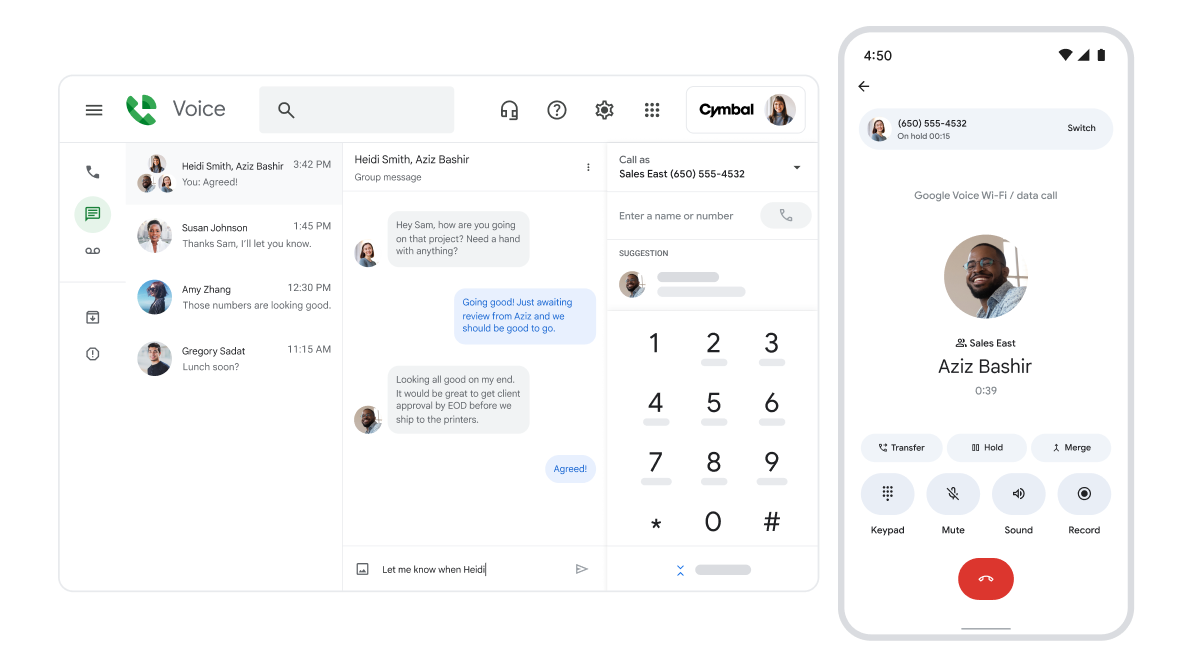
Who Can Use a Google Voice Local Phone Number?
Google Voice offers two versions:
- Google Voice for personal use. A free version available to anyone with a Google account. You can get a Google local phone number for free.
- Google Voice for business use. A paid version designed for businesses and available only through Google Workspace.
In the early days, many solo entrepreneurs and small business owners used the free personal version as their business number. A free phone tool with decent functionality was hard to pass up.
But this has changed.
The U.S. government introduced stricter regulations to fight spam calls and texts. As a result, all carriers, including Google, must now register business numbers and clearly identify whether a number is used for personal or business purposes.
Because of new FCC regulations, Google now requires users to confirm that the free version is for personal use only. Business numbers must be properly registered before they are allowed to send texts.
Google Voice for Business: Plans and Pricing
From here on, we’ll focus on the business version of Google Voice.
Google Voice pricing varies based on the number of users and the features included in each plan. One important note: Google Voice is an add-on to Google Workspace, which means you cannot purchase Voice on its own. You need an active Workspace subscription to use it.
Google Workspace: Plans and Pricing
Before adding Google Voice, you must choose a Google Workspace plan:
- Business Starter: $7/user/month
- Business Standard: $14/user/month
- Business Plus: $22/user/month
- Enterprise: Custom pricing
You can find the full details on Google’s Workspace pricing page.
Google Voice for Business Plans
Google Voice offers three paid business plans:
| Feature | Starter | Standard | Premier |
|---|---|---|---|
| Price | $10/user/month | $20/user/month | $30/user/month |
| Number of users | Up to 10 | Unlimited | Unlimited |
| Availability | 14 countries | Unlimited regional billing | Unlimited international billing |
| Calling | Unlimited domestic | Unlimited domestic | Unlimited domestic |
| Texting | Unlimited US texting | Unlimited US texting | Unlimited US texting |
| Voicemail transcription | Yes | Yes | Yes |
| Call forwarding | Yes | Yes | Yes |
| Auto-attendant | No | Yes | Yes |
| Ring groups | No | Yes | Yes |
| Call recording | Easy | On-demand | Yes |
| Desk phone and ATA support | Yes | Yes | Yes |
If you already have Google Workspace, the lowest price you can pay for Google Voice for Business (for one user) is $10/month.
If you do not have Google Workspace, your cost starts at $17/month ($7 Workspace + $10 Voice).
Google Voice for Business: Features
Here’s a quick overview of what Google Voice for Business offers and how each feature works.
- Local business phone number. Choose a Google local business phone number based on a city or area code.
- Unlimited domestic calling. Make unlimited calls within your country.
- Unlimited texting in the US. Send an unlimited number of SMS from the same number through the native Google app.
- Voicemail transcription. Google’s AI transcribes voicemail messages and sends them to your email, making them easy to read and search.
- Device flexibility. Use Google Voice on any device: mobile phones, laptops, or desktops.
- Desk phone and ATA support. Use Google Voice with supported Polycom desk phones and devices or analog telephone adapters.
- Call forwarding. Forward incoming calls to another phone or device.
- Call recording. Record calls for training, documentation, or compliance. Availability depends on your plan.
- Auto-attendant. Greet callers with a pre-recorded message and guide them through menu options. Based on their selection, the system automatically routes the call to the right person, department, or voicemail.
- Ring groups. The call rings to a group of users until someone picks up.
- Three-way calling allows you to have a call with two other people.
- Call transfer. Transfer calls to another teammate or department without disconnecting the caller.
- Spam identification. Google Voice screens caller ID and automatically routes suspected spam or scam calls to a spam folder.
- Integrations with Google apps only. Google Voice connects with Calendar, Meet, and Gmail. For example, if your Calendar shows you’re out of office, calls can automatically go to voicemail. You can also make and receive calls directly inside Gmail.
Pros and Limitations of Google Voice for Business Needs
Now that we’ve covered Google Voice’s pricing and features, let’s look at its main advantages and drawbacks for business use.
Pros of Google Local Phone Numbers for Business
- Simplicity. If you already use Google Workspace, adding Google Voice is straightforward. Setup takes only a few minutes, and there’s no complicated configuration required.
- Part of the Google Workspace ecosystem. Google Voice integrates smoothly with native Google apps like Gmail, Calendar, and Meet. This is convenient for businesses already operating within the Google ecosystem.
- Works on any device. Google Voice runs on mobile phones, laptops, desktops, and tablets. You can make and receive calls from anywhere with an internet connection.
- Easy for non-technical teams. The interface is simple, similar to WhatsApp or Skype. Anyone who knows how to use a smartphone can learn Google Voice quickly.
- Good for very basic communication needs. If you only need a simple tool to make and receive calls and texts, Google Voice covers the essentials. You can set up basic call routing, but it isn’t robust enough to serve as a core phone system, even for a small business.
Limitations of Google Local Phone Numbers for Business
- Minimal customer support. If you have trouble with the product, the company’s online help forum is the only help resource you’ll have access to, aside from googling it, of course.
- No toll-free numbers. Google Voice supports only local numbers, so companies that need toll-free customer lines must look elsewhere.
- No third-party integrations. Google Voice does not integrate with CRMs or business software outside the Google ecosystem. This creates a lock-in effect and limits how teams can connect their tools.
- Limited calling functionality. Google Voice offers only basic call management features. If you need call queues, multi-level phone menus, parallel calling, or conference calling, the system quickly falls short. Google Voice also receives minimal feature updates, which can hold back teams that expect their phone system to grow with them.
- No team collaboration features. There are no shared inboxes, internal chat, shared contacts, or tools for managing calls as a team. This makes effective collaboration difficult, especially for support or sales teams.
- No unified contact history. Calls, texts, and voicemails are stored separately, making it hard to see a complete communication history for any individual contact.
DialLink: The Best Google Voice Alternative for Business Phone Calls
Google Voice can seem like a quick and inexpensive option for startups and small businesses already using Google Workspace. But as we’ve seen, it comes with major limitations for real business use. If you need a phone system built specifically for business communication, DialLink is a stronger choice.
DialLink is a reliable business phone system designed for startups and small businesses. It brings calls, texts, voicemails, and AI voice agents together in one platform.
DialLink includes everything Google Voice for Business offers, and much more.
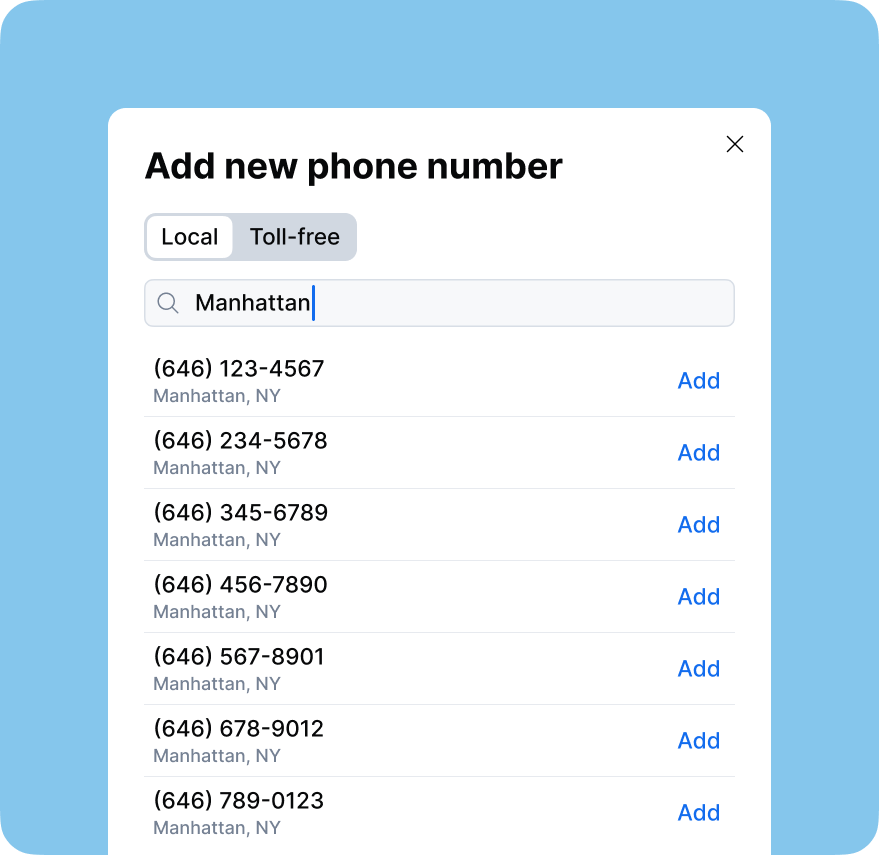
- Every DialLink account includes a free local phone number. You can add extra local numbers for $5 per month and toll-free numbers for $7 per month. All numbers are managed in a single, easy-to-use platform.
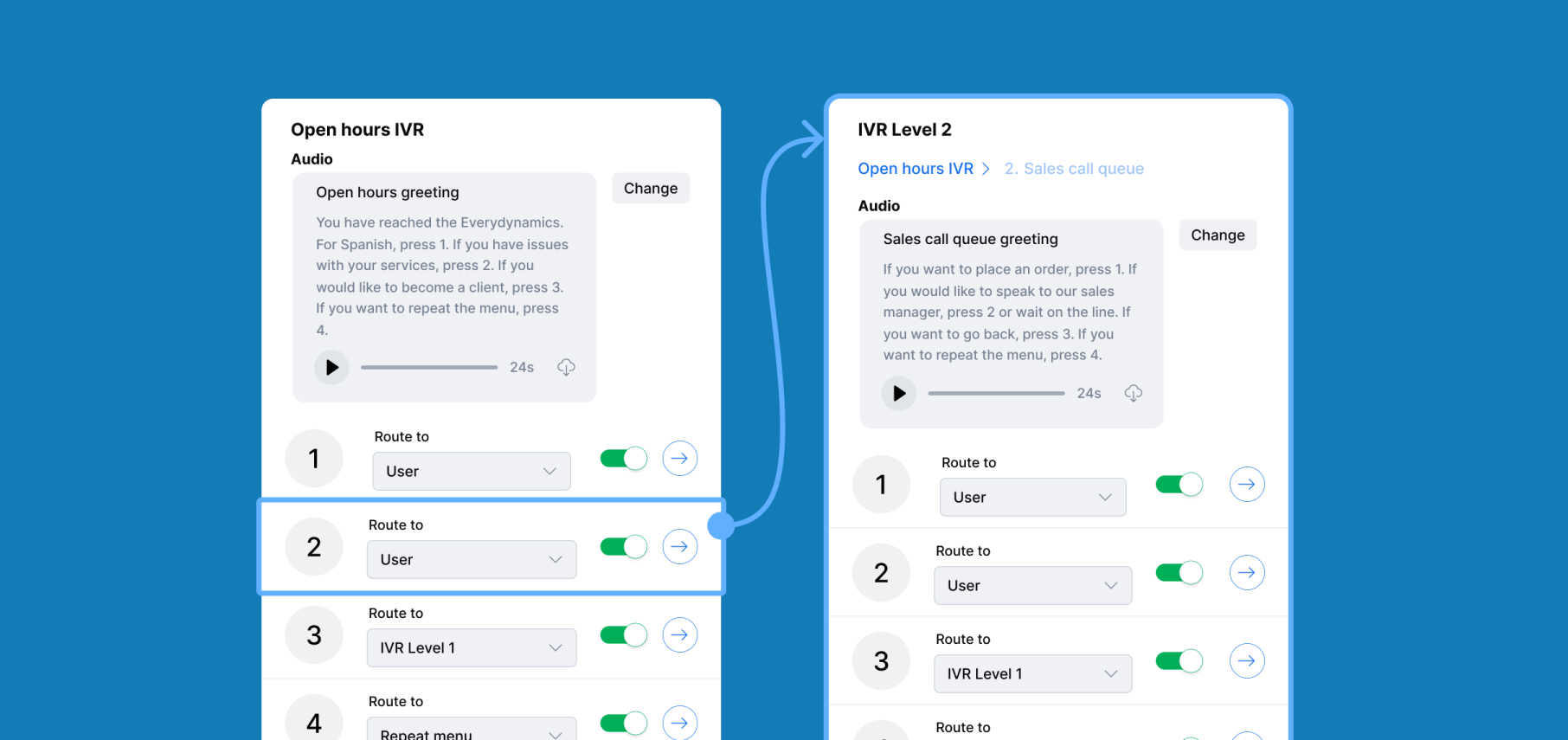
- DialLink’s base plan includes all the essential calling features that Google Voice offers, such as auto-attendants, phone menus, ring groups, and voicemail transcription. Higher-tier plans unlock more advanced calling, texting, collaboration, and AI capabilities.
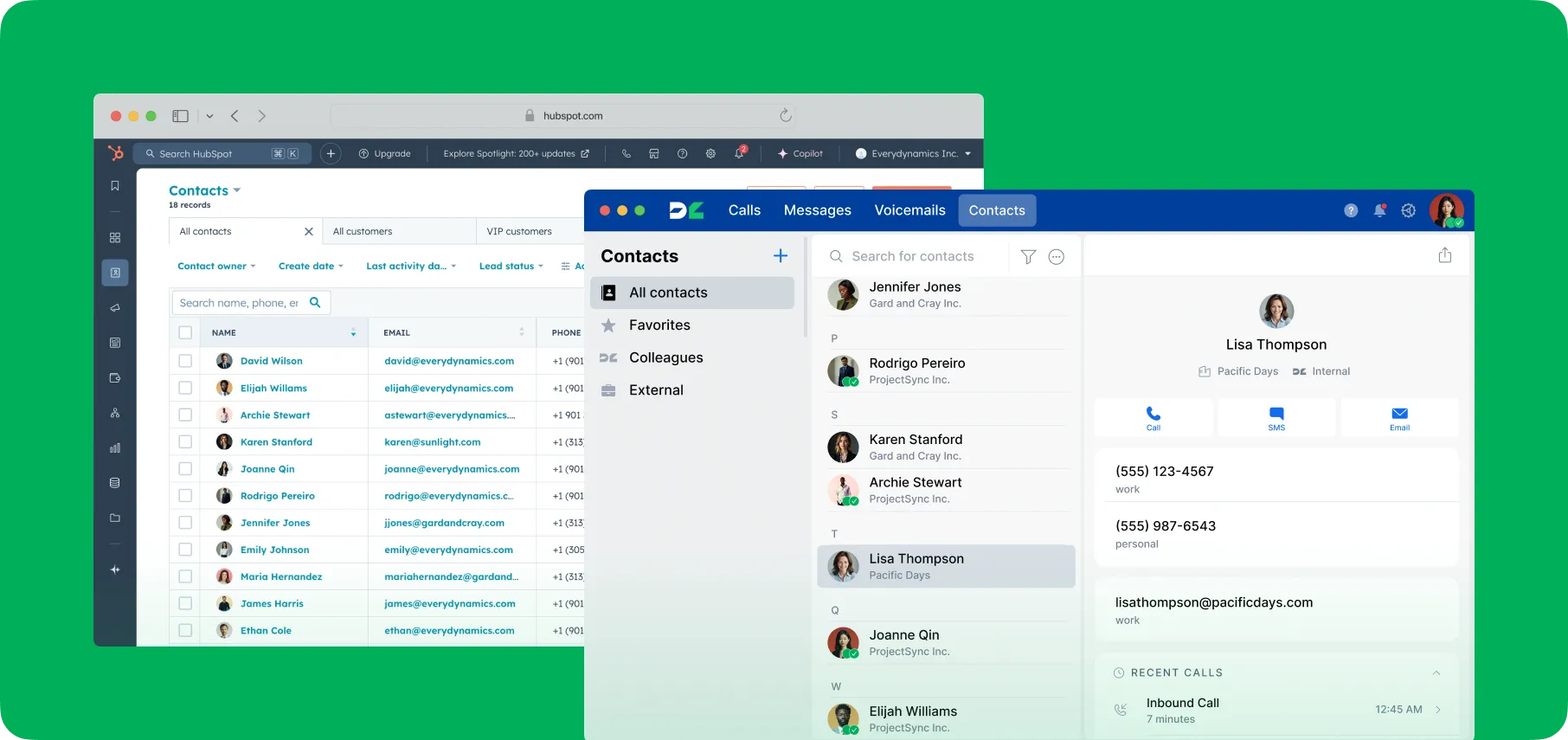
- DialLink integrates with popular CRMs, customer support tools, and other business platforms through native integrations and Zapier. This helps your team sync contacts and customer activity across your entire tech stack, something Google Voice cannot do.
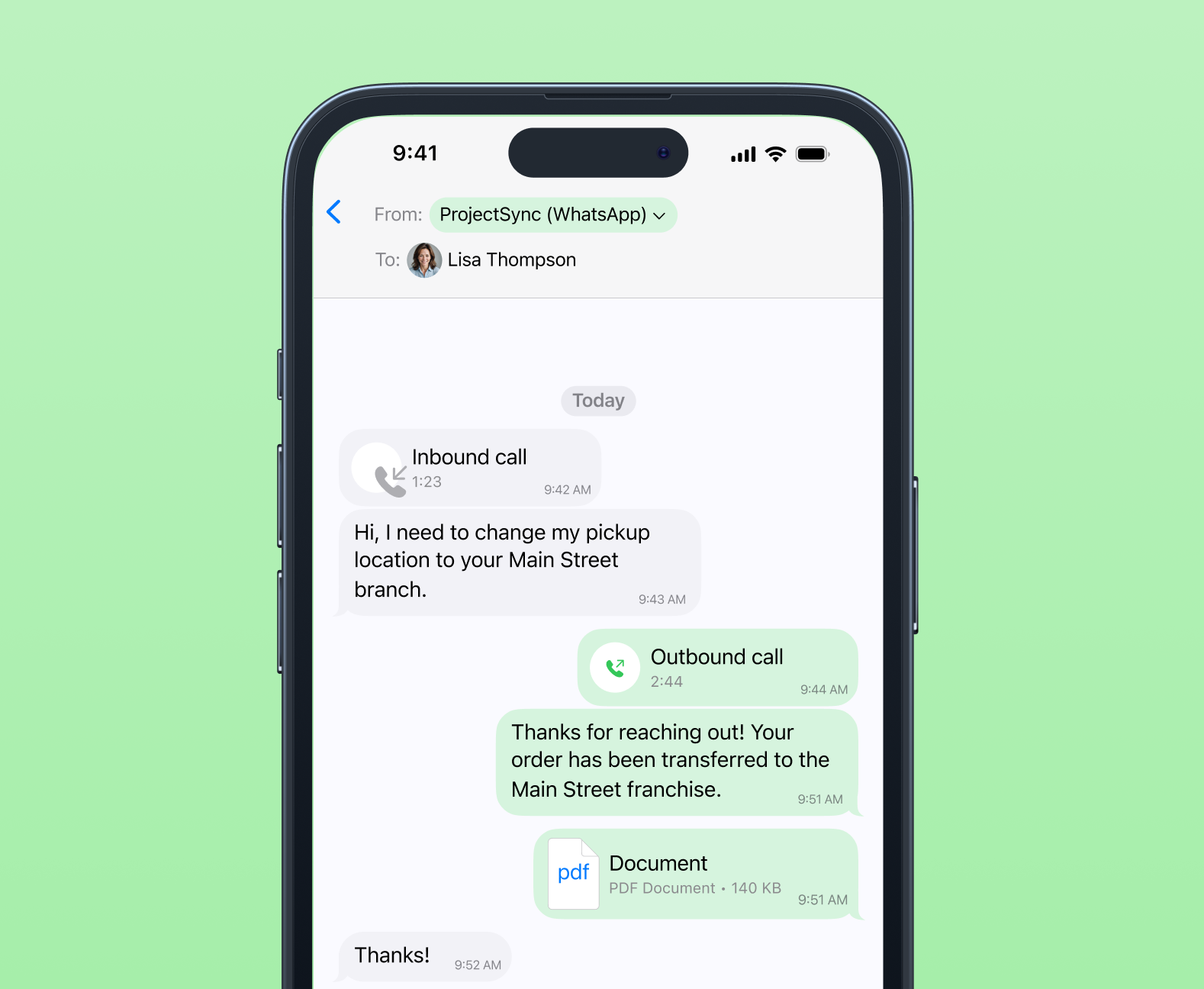
- DialLink supports SMS, MMS, and WhatsApp for Business within the same app. You can also set up auto-replies to keep your clients informed. This gives your team far more flexibility than Google Voice’s limited texting options.
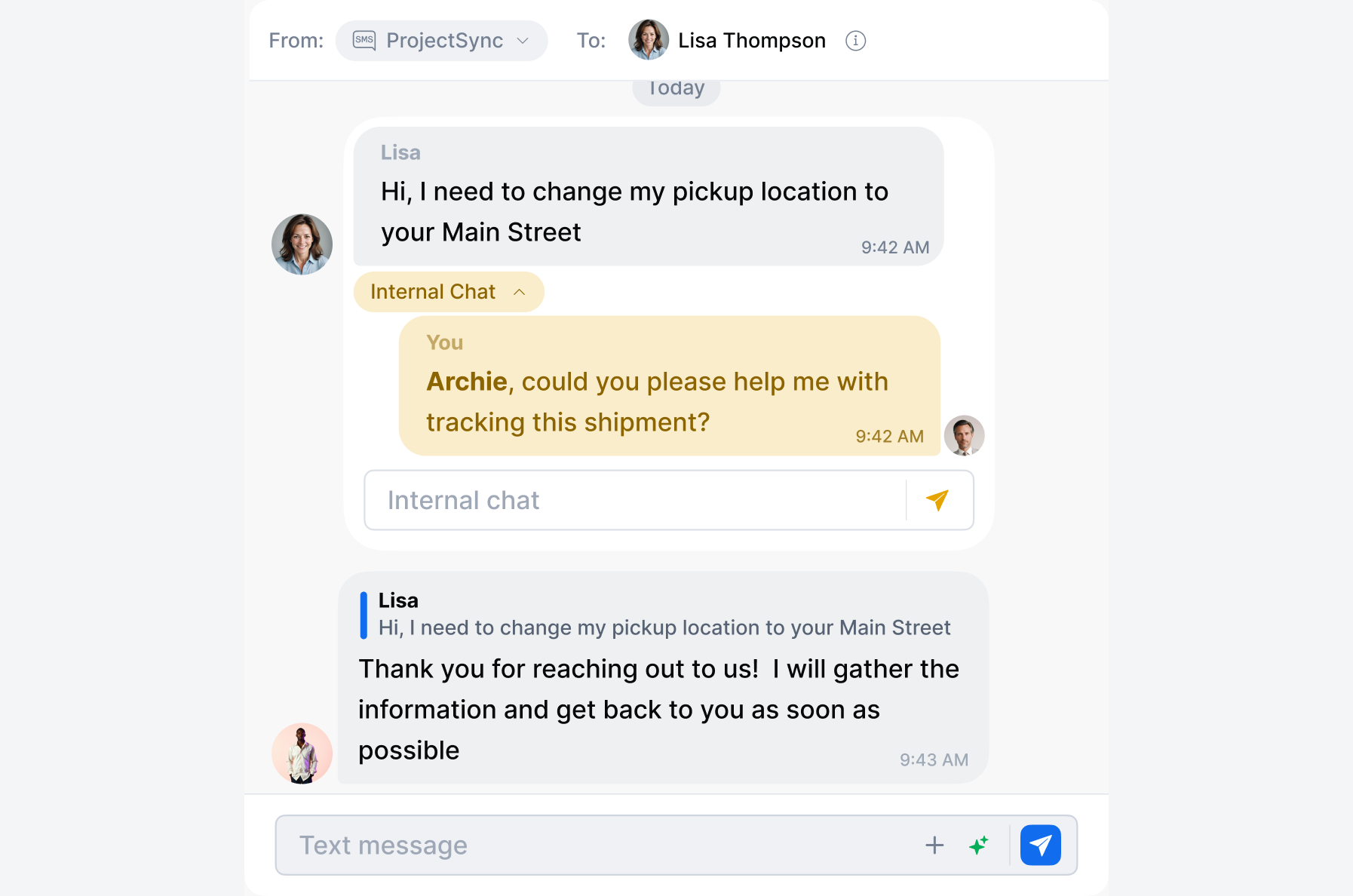
- DialLink includes teamwork-friendly features such as shared inboxes, internal threads, and notes right inside customer conversations.
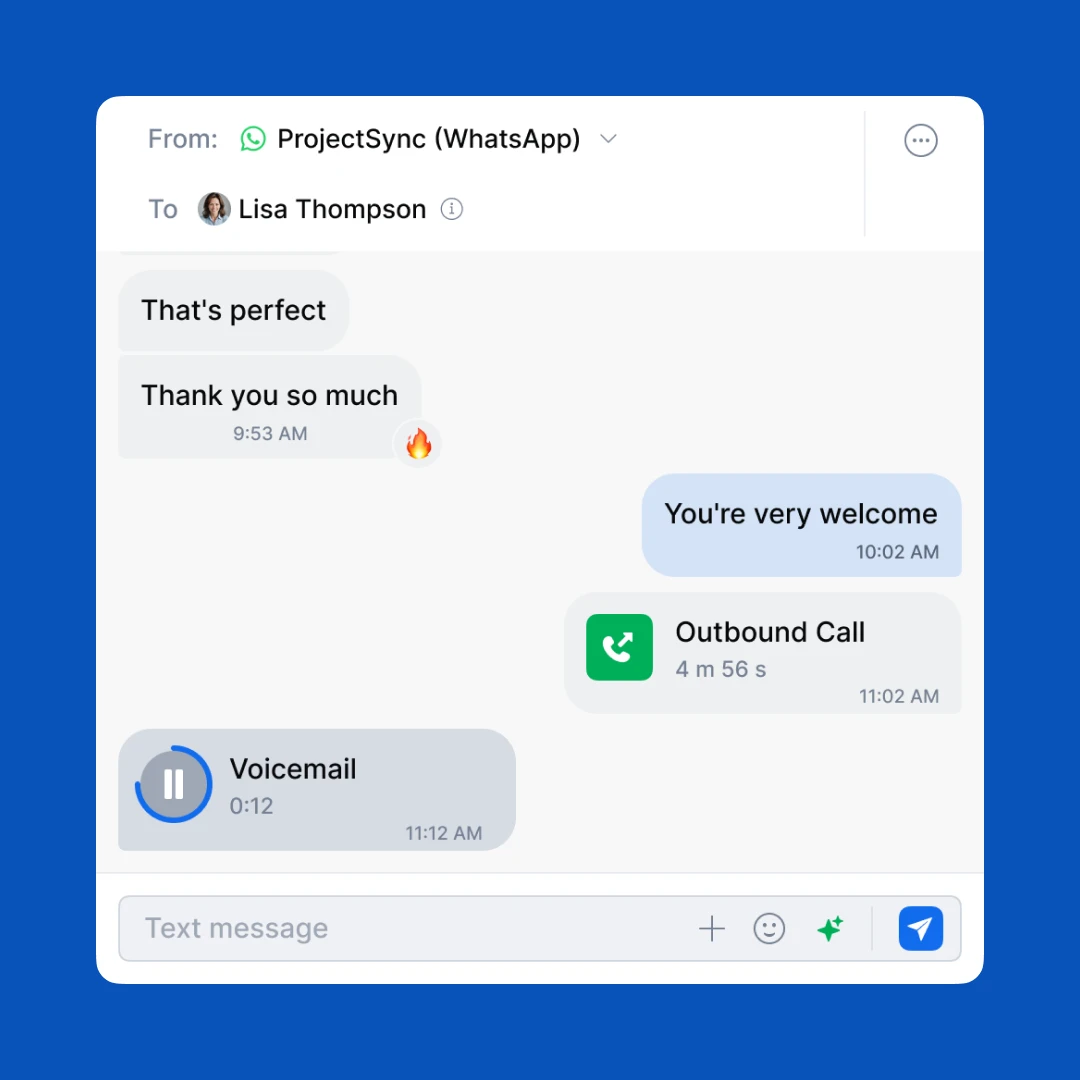
- All customer interactions (calls, texts, and voicemails) are organized into a single conversation thread per contact. This gives your team complete context every time someone reaches out, improving response speed and accuracy.
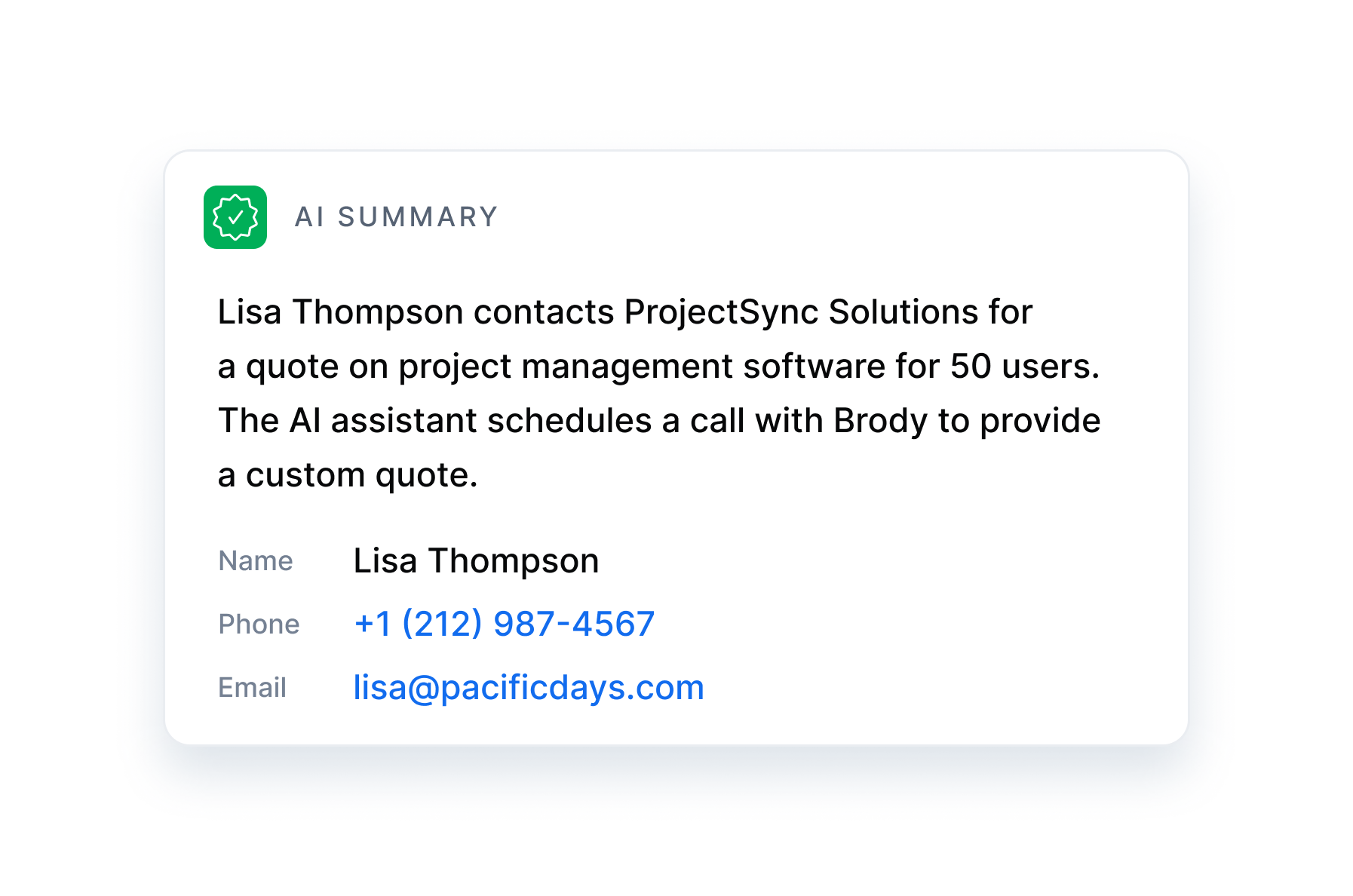
On top of that, DialLink includes advanced AI capabilities. You can use text-to-speech to create custom greetings. The system provides AI-powered transcriptions, summaries, and action items for calls and voicemails. DialLink also offers AI voice agents that can answer calls, handle routine tasks, and qualify leads.
Conclusion
Getting a local phone number from Google Voice is quick and easy. It can be a convenient option if you simply need a basic number for personal use or very light business communication.
But for businesses that rely on calls, texts, and ongoing customer communication, it’s not just about having a phone number. You need a reliable system that helps you organize conversations, support your team, and scale as your business grows.
If you’re looking for a phone system that’s actually built for business, DialLink is the better choice.
For personal use, you can get a local phone number by signing in to Google Voice with your Google account. After you log in, Google will show you a list of available local numbers based on your city or area code. Choose the number you want, link it to your account, and you can start calling and texting right away.
To get a local number for your business, you need a paid Google Workspace subscription plus a Google Voice for Business plan. Once your admin assigns you a Voice license, you can choose a local number for your team from the admin console. Each user receives one number included with their plan.
Yes, Google Voice is free for personal use within the United States. However, the business version is not free. To use Google Voice for Business, you must subscribe to Google Workspace and pay for a Google Voice plan.
Featured Tags
Share


Arina Khoziainova
Content Writer at DialLink
Arina is a content writer with over 7 years of experience in the IT industry. At DialLink, she creates clear, insightful content that helps small business and startup owners simplify communication and drive growth using modern tools. With a strong focus on practical value, Arina transforms complex topics into accessible, actionable stories.

Keep Reading

Local Vanity Phone Numbers for Business: What They Are and How to Get One
Read about what a vanity local phone number is, how businesses use them, and how to get one for your company.
December 12, 2025
8 minutes

How to Get a Local Phone Number for Your Business
Learn how to check local phone number availability, choose the right one, and purchase it for your business with DialLink.
December 10, 2025
8 minutes

The Ultimate Guide to Local Phone Numbers for Business
Explore what local phone numbers are and how your business can easily get one.
December 09, 2025
6 minutes
How to Get a US Toll-Free Number for Your Business
Discover how to get your US toll-free number the easy and affordable way.
December 05, 2025
8 minutes

Seamless Switch: How to Keep Your Existing Phone Number when Changing Providers
Explore how number porting ensures business continuity by letting you keep your existing phone number when switching providers.
March 20, 2025
5 minutes
Best Auto-Attendant Systems & Services for Small Businesses
Explore the best auto attendant systems and software for small businesses. Learn features, types, and top providers.
December 23, 2025
10 minutes

Auto Attendant vs Call Queue: What Small Businesses Need to Know
Discover the differences between auto attendants and call queues, and how your small business phone system can use both for better call handling.
December 16, 2025
8 minutes
Auto Attendant vs IVR: What’s the Difference and Which One to Choose for a Small Business
Discover how auto attendants and IVR systems differ, how they work together, and which call routing option fits your small business best.
December 15, 2025
9 minutes