Home
Integration Marketplace
Microsoft Teams

Microsoft Teams
Powered by DialLink’s Native Integration
Get instant notifications in your Microsoft Teams account so you never miss an important call, message, or voicemail.
Overview
The DialLink’s native integration with Microsoft Teams allows you to send notifications about external conversations to the right team members or channels. By connecting your Microsoft Teams account to DialLink, you can bring missed calls, voicemails, and text messages directly into Teams channels or individual direct messages.
How it looks
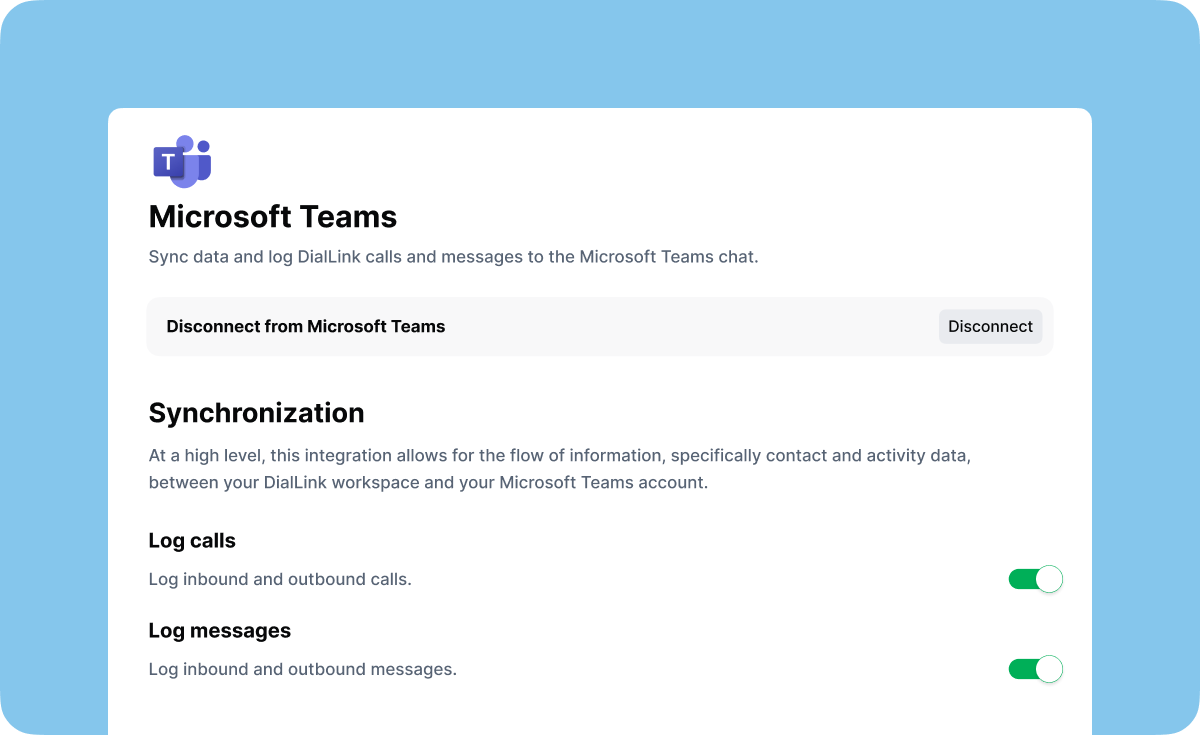 How the integration looks like on the DialLink side
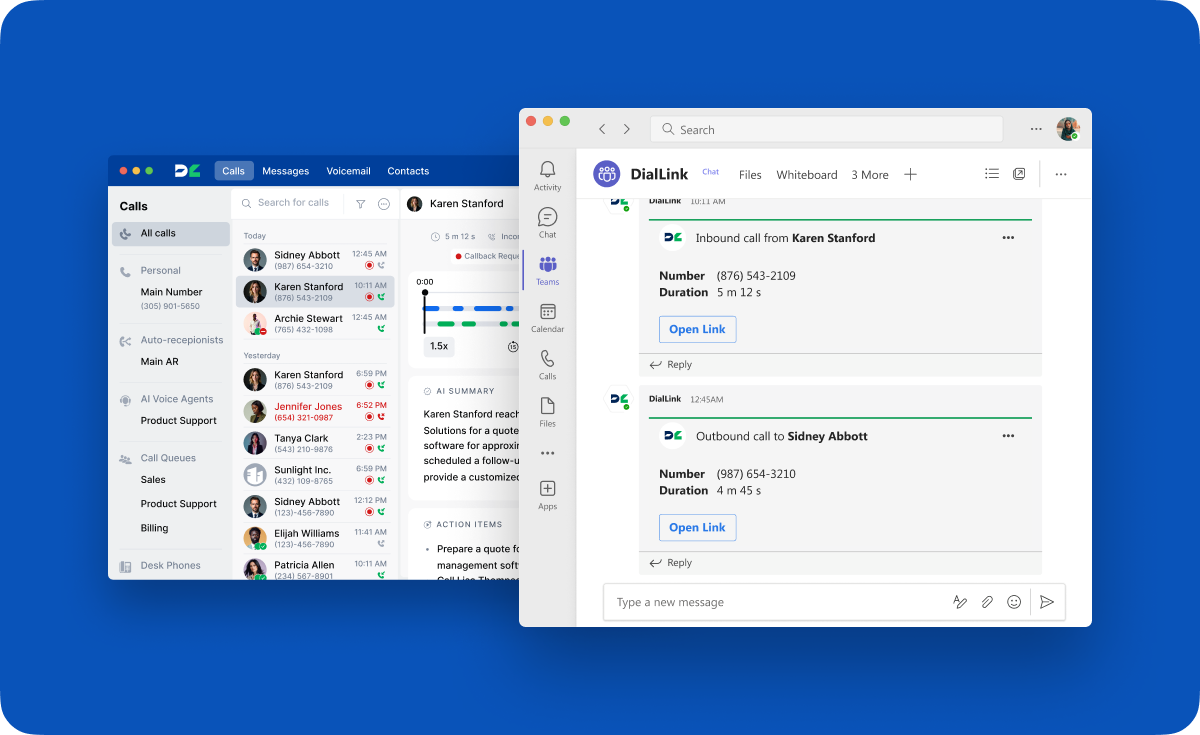 How alerts about missed calls, messages and voicemails are displayed in MS Teams chat
Features
- Receive notifications about missed calls directly in MS Teams channels or private messages.
- Receive notifications about missed business messages directly in MS Teams channels or private messages.
- Receive notifications about missed voicemails directly in MS Teams channels or private messages.
- Sync as many phone numbers as needed for notifications and connect them to any number of MS Teams channels or private messages.
What is Microsoft Teams?
Microsoft Teams is a collaboration platform developed by Microsoft, designed to help teams and organizations communicate, collaborate, and manage tasks efficiently. It is part of the Microsoft 365 suite of productivity tools and combines features for instant messaging, video conferencing, file sharing, and collaborative workspaces.


